
website as a service is the new way small businesses in Australia can own a polished online presence without the headache of juggling design, hosting and maintenance. It’s basically handing you a ready‑made website that stays updated, secure and backed up every month. You get the freedom to focus on your product or service, not the tech.
Imagine walking into your shop and hearing the murmur of customers saying, ‘Your online store looks great, where can I buy more?’ That instant confidence comes from a site that loads fast, looks modern, and feels like home. You don’t have to be a coder to create that vibe – the service handles the heavy lifting.
Now ask yourself, what’s the price of missing out on a slick online hub? Every missed lead, every delayed order, and every broken link is a tiny leak that drips into your bottom line. With a website as a service, that leak stops before it even starts.
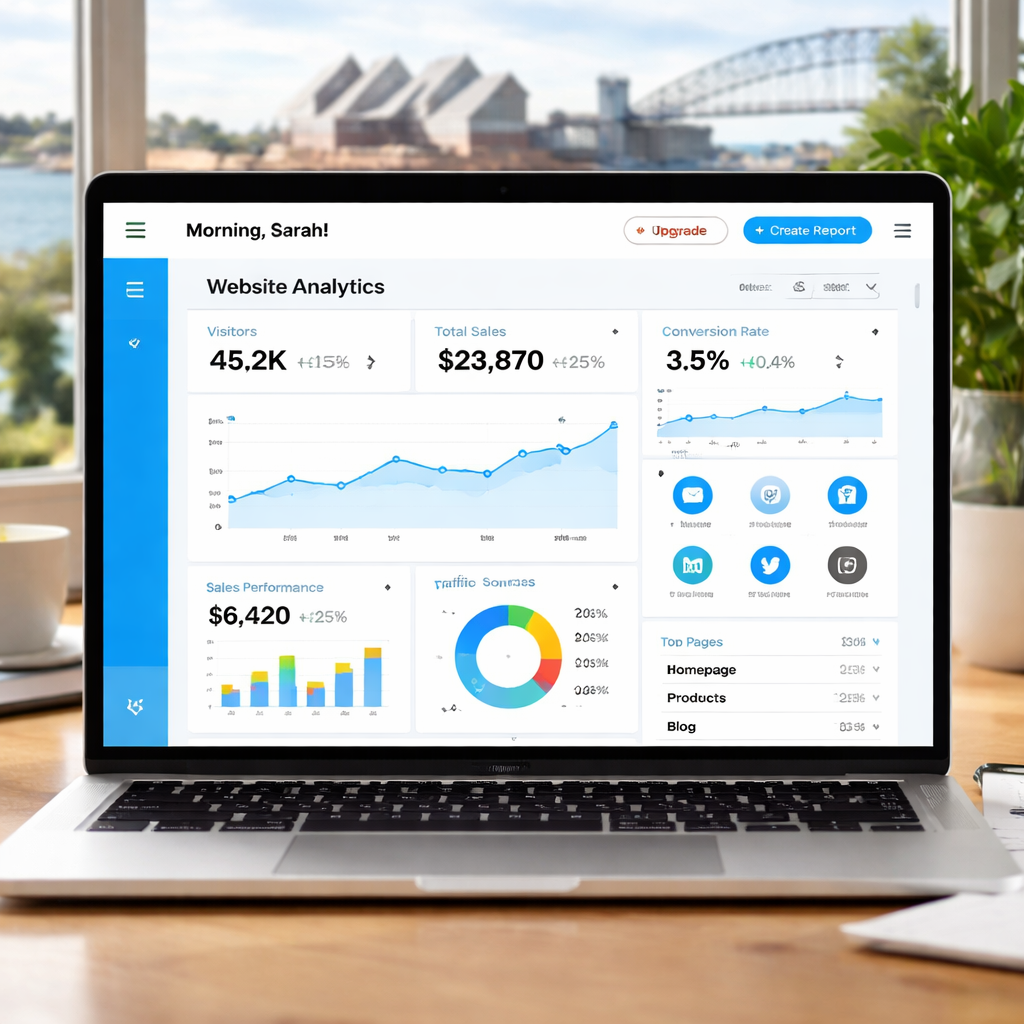
Think about the extra hours you’d save each week. Instead of scrambling to fix a glitch after a client calls, you’ll have a dashboard that reports traffic, sales and security alerts in one glance. That dashboard is not just a fancy gadget – it’s your business’s heartbeat.
You might wonder if this sounds too good to be true. The answer? It’s all about partnership. The team behind the service listens to your needs, adjusts the template, and even suggests product bundles that match your market in Queensland or Brisbane.
The real magic happens when maintenance becomes a thing of the past. You’ll get automatic updates, daily backups, and security scans that keep cyber threats at bay. No more sleepless nights worrying about a site crash.
So, what’s the first step? Reach out and chat about the kind of traffic you’re targeting, the products you sell, and the vibe you want to project. You’ll discover that a website as a service can be tailored to fit a boutique café or a wholesale hardware warehouse with equal ease.
🐣 The Chick
A website as a service gives you a ready‑made online store that updates, secures, and backs up itself so you can focus on selling. By partnering with Free Website Chick, you’ll get a dashboard that reports traffic, sales and security alerts, design tweaks that make clicks feel Brisbane Queensland customers.
Let’s start by asking the real question: what do you really need from a website? Think of it like choosing a vehicle—you need to know if you’re driving a city cruiser or a rugged truck. Your goal is to pick a website that feels right for the type of customers you want to attract.
Ask yourself: is this a sales hub, a booking portal, or a brand showcase? If you’re a retailer, you’ll want product pages that load fast and a secure checkout. If you’re a service provider, a booking form and an easy‑to‑update blog might be the priority.
Picture a typical customer from Brisbane stepping onto your site. What steps do they need to take? Knowing this lets you design navigation that feels natural and reduces drop‑off. Write a quick flowchart or even a list of touch points to keep it clear.
List the biggest headaches you’ve faced—slow loading, broken links, confusing checkout. Rank them by impact on sales or support time. The highest ranked issues should be the first things you tackle when you set up your website as a service.
Decide how success looks: a 20 % lift in traffic, a 15 % boost in conversion, or fewer support tickets. These numbers give you a target to hit and help you tweak the platform over time.
By the time you’re done, you’ll have a clear picture of what your website must do, who it serves, and how you’ll know it’s working. That clarity turns the daunting tech task into a straightforward roadmap you can hand off to the team that specialises in managed sites.
Once you’ve nailed these fundamentals, jot them down. A quick spreadsheet or a sticky‑note wall keeps everything visible and lets you adjust priorities as your business grows today and soon too.

🐣 The Chick
Let’s cut to the chase: you’ve mapped out what you need and how much you’re willing to spend. The next step is picking a platform that keeps the tech headaches away.
Think about the three pillars that matter most to most small businesses in Brisbane and across Queensland: speed, security, and support. If a site loads slowly, customers leave faster than a kangaroo on a trampoline. If security is lax, you risk a data breach that could cost you your licence and your reputation. And if you’re not a tech wizard, you’ll need someone to keep the lights on.
Here’s a quick playbook to compare options without drowning in jargon.
Now, put these options on a quick decision grid. For each pillar, assign a weight (1‑5). Then score each platform. The one with the highest weighted score is your sweet spot.
Do you need e‑commerce? If yes, a platform that offers built‑in shopping carts and payment gateways out of the box is a must. If you’re a wholesale supplier, look for bulk‑upload capabilities and inventory sync.
Don’t forget about support hours. A 24/7 helpdesk means you can sleep soundly when a midnight order lands.
And here’s a real‑world snapshot: a Brisbane café used a full‑service platform and saw a 30 % uptick in online orders in three months because the site stayed fast and secure, while the owner focused on craft coffee.
Before you sign on, test the platform. Most offer a free trial or demo. Drag a few product images, run a test checkout, and gauge how easy it is to tweak text.
When the decision is clear, draft a simple contract: what the provider will deliver, how much you’ll pay, and a clause that keeps your branding intact.
Now you’re set to hand over the reins and watch your online presence thrive.
| Feature | Option | Notes |
|---|---|---|
| Managed Updates | Full‑Service Site | Automatic security patches and CMS upgrades |
| E‑commerce Ready | DIY Builder & Full‑Service Site | Integrated payment gateways and inventory tools |
| 24/7 Support | Full‑Service Site | Live chat and phone support included |
🐣 The Chick
When you’re choosing a website as a service package, the look and feel should feel like your shop in the street – familiar, inviting, and unmistakably yours.
Start with your brand story. Write down the one sentence that tells people why you exist. Then feed that into every design decision: colour palette, typography, and imagery.
Don’t go for the generic “business” theme. Pick one that already has page layouts your industry needs – product grids for retailers, booking calendars for service pros, or inventory tables for wholesale.
We’ve seen that a Brisbane coffee shop using a café‑ready theme saw a 30 % lift in online orders simply because the pages matched customer expectations.
Use a hero image that tells a story in seconds. If you sell handmade candles, show a flickering wick and a tagline that reads “Light up your moments.” Pair it with a clear call‑to‑action button that says “Shop now.”
Ask yourself: Does this instantly communicate what you’re selling and why you’re the best choice? If not, tweak the headline or swap the image.
When your site mirrors your physical storefront – same logo, same colour, same voice – customers feel a seamless experience. This consistency also boosts local SEO, because search engines flag repeated brand signals as trust cues.
Use the same hero style on the Facebook page, Instagram bio, and email signature. It’s a small effort that pays off when people recognise your brand no matter where they first meet you.
Run A/B tests on headline copy and button colours. Even a 5 % lift in conversion can mean hundreds of extra sales over a month.
Most website as a service providers give you a dashboard that shows click‑through rates and bounce rates. Use those numbers to decide what changes bring the biggest impact.
Ready to start? Pick a template, write your brand story, then let the platform’s built‑in tools turn those ideas into a live site. You’ll have a polished, branded online presence that keeps customers coming back.
If you need extra security and performance, consider a managed WordPress hosting solution – managed WordPress hosting.
Now that you’ve got a clean site, the next move is to layer on the tools that turn it into a business engine.
Think of your website as a kitchen. You’ve got the base appliances – the design and hosting – but without the right gadgets, you’re just chopping onions.
Start by mapping the three core service pillars you need: marketing, sales, and analytics. Each one feeds into the other, and getting them right can lift your conversion rate by up to 25 % – that’s a chunk of extra cash for a small business.
Marketing first. Embed a built‑in email collector that auto‑adds new visitors to a list you’ll nurture. If you’re running a boutique café, you might want a “Reserve a Table” form that feeds straight into your booking app. Integrations make this a one‑click set‑up, keeping your data in sync without a developer.
Next, sales. For a retail shop, the e‑commerce module should auto‑populate inventory, apply seasonal discounts, and process payments through local gateways. For wholesale, you’ll want bulk‑order forms and a custom pricing layer. The platform handles tax rules for Queensland, so you can focus on the margin, not the math.
Finally, analytics. Even if you’re a service business, knowing who’s clicking on your “Book Now” button is priceless. A dashboard that shows device mix, session duration, and abandonment rates lets you tweak the UX in real time. If a customer is dropping off on mobile, you can instantly switch the layout – and watch the bounce drop.
Here’s a quick checklist you can run at launch: 1. Enable auto‑backups – you’ve already got them, but confirm the schedule. 2. Install SSL – if it’s not already on, your provider will add it in under a minute. 3. Connect a CRM – you can sync lead data with a simple plugin. 4. Set up social sharing – a single click button on each product page expands your reach.
What if you’re not a tech wizard? No sweat. The support team at Free Website Chick is on call 24/7. A quick chat can walk you through adding a newsletter signup, setting up a payment gateway, or tweaking a checkout flow.
And here’s the kicker: once all the pieces are in place, you’ll have a fully managed ecosystem that grows with your business. No more juggling updates, no more patching security holes, no more guessing which plugin will work with which version. It’s the same peace of mind you get when your shop’s register is always in sync.
Before you hit publish, test the whole funnel: sign up for a free email, run a test purchase, and check the analytics report. If everything looks good, you’re ready to launch and watch your traffic turn into sales.
If you need more tools, you might find a great companion in ESC Hub, which bundles accounting, inventory, and project management into a single interface.
🐣 The Chick
When the site looks good on a screen, it’s time to put it in the real world. We’re not just turning a button on; we’re handing a customer a promise of smooth experience.
Start by running through a quick audit: are all links alive, does the checkout redirect to a secure HTTPS page, and have you added an alt tag to every image? A single broken link can scare away a buyer faster than a cold latte.
Use a staging environment to simulate traffic spikes. A local café that sold out in 10 minutes during a launch can catch a server crash that would otherwise cost you a few hundred dollars in lost sales.
Check your analytics set‑up. You’ll want a real‑time dashboard to see if traffic drops the moment you go live. The Digital Silk website launch checklist outlines key metrics you should monitor.
Open the site to a small, controlled audience first. Invite a handful of friends or loyal customers to walk through the purchase flow. Ask them what feels clunky or confusing.
Run a test purchase using a test payment gateway. Verify that the order confirmation lands in your inbox, the inventory updates, and the customer receives the right email. If any step fails, tweak before a full launch.
Leverage tools that show real‑time user behaviour. The Blogging Wizard website optimisation tools list offers heatmaps and session replay options that can pinpoint where users drop out.
Once traffic starts, keep a close eye on Core Web Vitals. If the page load time nudges above 3 seconds, you’ll notice a drop in conversion. Small tweaks like image compression or lazy‑loading can bring you back under the 2‑second sweet spot.
Set up automated A/B tests on key pages—hero copy, checkout button colour, or product page layout. Even a 5% lift in conversion can translate into a few extra sales per month for a small retailer.
Schedule regular reviews. A quarterly check keeps the site fresh, aligns with new product launches, and ensures compliance with local privacy laws.
Remember: launch isn’t the finish line; it’s the starting block. Keep testing, keep optimising, and watch your site turn clicks into cash.
🐣 The Chick
When you roll out a website as a service, keeping it fresh is as crucial as the first sale. The magic happens when you treat updates like a daily coffee ritual – quick, consistent, and essential.
First, lock in a predictable update cadence. Most managed sites run on a bi‑weekly patch schedule, so the platform knows exactly when to roll out CMS upgrades, security patches, and feature tweaks.
Next, automate backups. A daily snapshot means you can hit “restore” with a click if something goes wrong. Don’t wait for a data loss incident to realise you didn’t have a recent copy.
Security isn’t a one‑time checkbox; it’s a living practice. Rotate SSL certificates, scan for malware weekly, and keep firewalls on. The last time a small Brisbane shop hit a breach, the downtime cost was more than the repair bill.
Now, harness analytics to fuel growth. Track Core Web Vitals, conversion funnels, and cart abandonment rates. Every time a visitor exits the checkout, tweak the button colour or add a trust badge. Small visual changes can lift conversion by 5–7%.
When your traffic spikes, think scaling. Add cache layers, move to a CDN, and tweak database queries. A quick load boost means happier customers and a higher search ranking.
For deeper insight into how to keep your managed site humming, check out these website maintenance best practices. They break down the steps into bite‑size actions you can start today.
Keep the cycle going, and your website as a service will stay a reliable partner, not a point of stress.🐣 The Chick
When you’re juggling inventory, invoices and coffee cups, the last thing you want is a site that feels like a side hustle.
Website as a service turns that headache into a tidy, monthly chore. Think of it as a trusted friend who keeps your online shop humming while you focus on the real magic of your business.
What matters most is the rhythm you build: daily backups, weekly security sweeps, and monthly analytics reviews. That routine keeps glitches at bay and lets you spot growth opportunities before they slip away.
Don’t wait for a crash to realise you’re missing a piece. Start small: set up an alert for broken links, tweak a colour that turns a cart into a purchase, and monitor traffic spikes with a simple dashboard.
Now that you’ve seen how it all fits together, the next step is simple: pick the elements that feel most urgent for your shop and roll them out one by one. It’s a hands‑on, bite‑size journey, not a one‑time sprint.
Remember, the goal isn’t perfection; it’s a site that feels alive and responsive, just like your front‑door windows on a sunny Brisbane morning.
Ready to keep your site buzzing? Take the first action today – set up your backup schedule and watch the rest follow.
🐣 The Chick
Think of it like hiring a chef instead of learning to cook. A managed site comes with design, hosting, security, and ongoing updates handled for you. You don’t sit at a terminal writing code or worrying about backups. You just focus on product or service, while the tech runs smoothly in the background.
Prices can vary, but most plans start around $200–$400 a month. That fee covers design, hosting, SSL, daily backups, and 24/7 support. The upfront cost is often a one‑time setup charge. For many Brisbane retailers, it’s cheaper than hiring a freelance developer for months of maintenance.
Absolutely. The platform lets you tweak colours, fonts, and layout blocks to match your brand identity. You can upload your logo, choose a theme that feels local, and add custom copy. It’s all about making the site feel like an extension of your physical shop.
Instant alerts go straight to your dashboard, and the support team is on hand 24/7. The system automatically rolls back to the last clean backup and runs a full malware scan. If the site goes offline, you’ll know in minutes and can get it back up without losing sales or customer trust.
Yes. All content is stored in a standard CMS format and can be exported as HTML, Markdown, or a CMS‑specific package. You retain ownership of your data and can migrate it to another platform whenever you choose, with minimal effort.
From concept to checkout, you can go live in a matter of days. Set up product pages, connect a payment gateway, and enable inventory sync in under 48 hours. The managed service handles the technical heavy lifting, so you only need to add your product details and branding.
🐣 The Chick

