
How much does a website cost? That’s the question that keeps most small‑biz owners up at night, and honestly, it’s a fair one. If you’re running a coffee shop in Brisbane, a boutique in Queensland, or an online store, you’ll wonder whether the price tag is a myth, a necessity, or a bargaining chip. Let’s get real: the cost isn’t just a number on a receipt – it’s a mix of design, hosting, maintenance, and the little extras that make a site feel alive.
In 2026, the web landscape has shifted. Cheap templates still exist, but they’re often just the surface of a deeper cost curve. Think of your website as a storefront: you pay for the building (design), the utilities (hosting), the staff (maintenance), and the décor (updates, SEO). When you ask, “how much does a website cost?” you’re really asking how many of those layers fit into your budget.
Here’s what I’ve seen work best for Aussie businesses: start with a clear goal. If you just need a portfolio or a simple online menu, a basic plan can be a win. But if you want a robust e‑commerce shop with inventory, payment gateways, and security, you’re stepping into a higher tier. That’s where Free Website Chick steps in with tailored plans – a free starter option, a Starter plan that adds more control, and a Premium plan that gives you the full suite of features. No hidden fees, just the services you need.
Now, don’t let the term “free” scare you into thinking it’s a one‑size‑fits‑all solution. The free plan is great for testing waters, but the paid plans bring ongoing support, regular backups, and SEO tweaks that keep your site ahead of the curve. If you’re a retailer on a tight budget, the Starter plan can grow with your inventory without breaking the bank.
And here’s the kicker: when you budget for a website, factor in the long‑term value. A well‑built site attracts customers, converts leads, and gives you data you can act on. Think of it as a marketing channel you own – unlike paid ads that disappear when the budget runs out.
So what’s the realistic cost? For most small businesses in Brisbane or wider Queensland, you’re looking at anything from free to a few hundred dollars a month. The key is to match the plan to the features you’ll use, not the price alone. That’s how you avoid overpaying for unused extras and under‑spending on vital tools.
Ready to make a move? Start by listing what you need: is it an online shop, a booking system, or just a digital brochure? Then compare the features of each plan from Free Website Chick and see where you land. The cost will be clear, and you’ll have a roadmap to scale as your business grows.
Remember, a website is an investment, not a one‑off expense. Treat it like a growing partnership, and you’ll get the return you’re paying for.
🐣 The Chick – Punchy advice, no fluff, and occasional chicken puns.
Want a quick answer? How much does a website cost? For most Aussie small biz, it ranges from free to a few hundred a month. Free Website Chick’s free starter, Starter and Premium plans let you pick what you need—design, hosting, e‑commerce—without surprise fees. That means you control spending today.
If you’re wondering how much does a website cost, the first thing you need is a clear list of what you actually want from that digital storefront. It’s like buying a new ute: you’d want to know the engine, the seats, and the spare tyre before you hit the road.
Start by asking yourself what you truly need. Are you a café owner in Brisbane, a wholesale distributor, or a local beautician? Each role has a different online personality.
Pin down the main purpose: is it to showcase products, take orders, or simply give people a way to contact you? The goal will shape every other decision, from design style to payment gateways.
For instance, a retail shop will probably want a robust e‑commerce set‑up, while a service provider might need a booking system. Write down the top three priorities; that will become your requirement checklist.
Now, jot down the features that cannot be missed. Common must‑haves for Aussie small businesses include:
These items are also the pillars that determine whether a free plan or a paid plan from Free Website Chick is the right fit. The free starter gives you a clean template, but the Starter plan adds the payment gateway and marketing tools you need to grow.
Think ahead: will you add a blog, a loyalty program, or a wholesale portal? A scalable platform will let you expand without a complete rebuild.
For example, if you plan to run a seasonal pop‑up, you’ll want an admin panel that lets you tweak inventory on the fly. That’s something the Premium plan is built for.
When you need extra help, lean on specialised tools. A chat platform like Chatter Plus can turn visitors into customers in real time.
If you’re printing flyers or banners, you might pair your website with a reliable printing partner – check out Jiffy Print Online for affordable, quick‑turn prints that match your brand.
And if you’re a law firm looking to streamline your client intake, you could integrate a secure form solution from SRS Networks. Their IT solutions help you keep client data safe while automating repetitive tasks.
All of these pieces come together in the same budget you’ll set in your cost calculator. Free Website Chick’s calculator on the website cost comparison page lets you plug in exactly what you need and see how each plan stacks up.
Remember, defining your requirements is the first step in turning “how much does a website cost” from a vague question into a clear, actionable plan. The clearer you are now, the smoother the build will be and the sooner you’ll see those conversion numbers rise.

So, grab a pen, list your must‑haves, and let your future site speak for itself.
🐣 The Chick
Punchy advice, no fluff, and occasional chicken puns.
Now that you’ve nailed what your site needs, it’s time to pick a pricing model that won’t leave you shaking your head over a bill.
Think of it like picking a coffee: you can go for a quick drip, a latte, or a full barista‑crafted espresso. Each comes with a different price point and flavour.
There are three main flavours that most Aussie providers serve up: free, fixed‑price packages, and retainer‑based plans.
Free plans give you a basic site, hosting, and a domain. They’re great for testing the waters but usually lock you into a simple layout and limited support.
Fixed‑price packages are what you’ll find on the Free Website Chick menu. You pick a tier, say Starter or Premium, and the bill is predictable every month.
Retainers are a monthly fee that covers ongoing maintenance, updates, and support. They’re common for businesses that want peace of mind without a huge upfront outlay.
Take a quick mental audit: How many pages? Do you need e‑commerce, booking tools, or a custom CMS?
For a 5‑page menu and contact form, the Starter tier is usually enough. If you’re selling 50+ products and need secure checkout, the Premium tier is the way to go.
Ask yourself, does the price cover everything I’ll need now and tomorrow? That’s the first filter.
Remember the 20–30% rule for ongoing costs. Even if you lock in a $300 monthly plan, expect another $70–$90 a year for hosting or SSL renewals.
When you line up your feature list against the plan specs, you’ll see where gaps lie. If you’re missing a feature that’s crucial, you may need to upgrade or add a bespoke add‑on.
Some vendors hide extra costs behind “add‑on” labels: extra pages, premium plugins, or custom design tweaks.
Always ask, are there any extra charges for a new page or a one‑off design change? If the answer is yes, factor that into your budget.
Check the fine print for domain registration, SSL certificates, and hosting renewals. These can cost $20–$60 a year each but are often bundled in the monthly fee.
Another hidden pitfall is the payment gateway fee. If you’ll use a gateway like Stripe or PayPal, they take 2.9% + $0.30 per transaction—something you’ll feel in your bank statement, not your invoice.
Keep a spreadsheet. Record every line item you see in the proposal so you know exactly where the money goes.
Once you’ve done this, you’ll have a clear budget that matches your business goals.
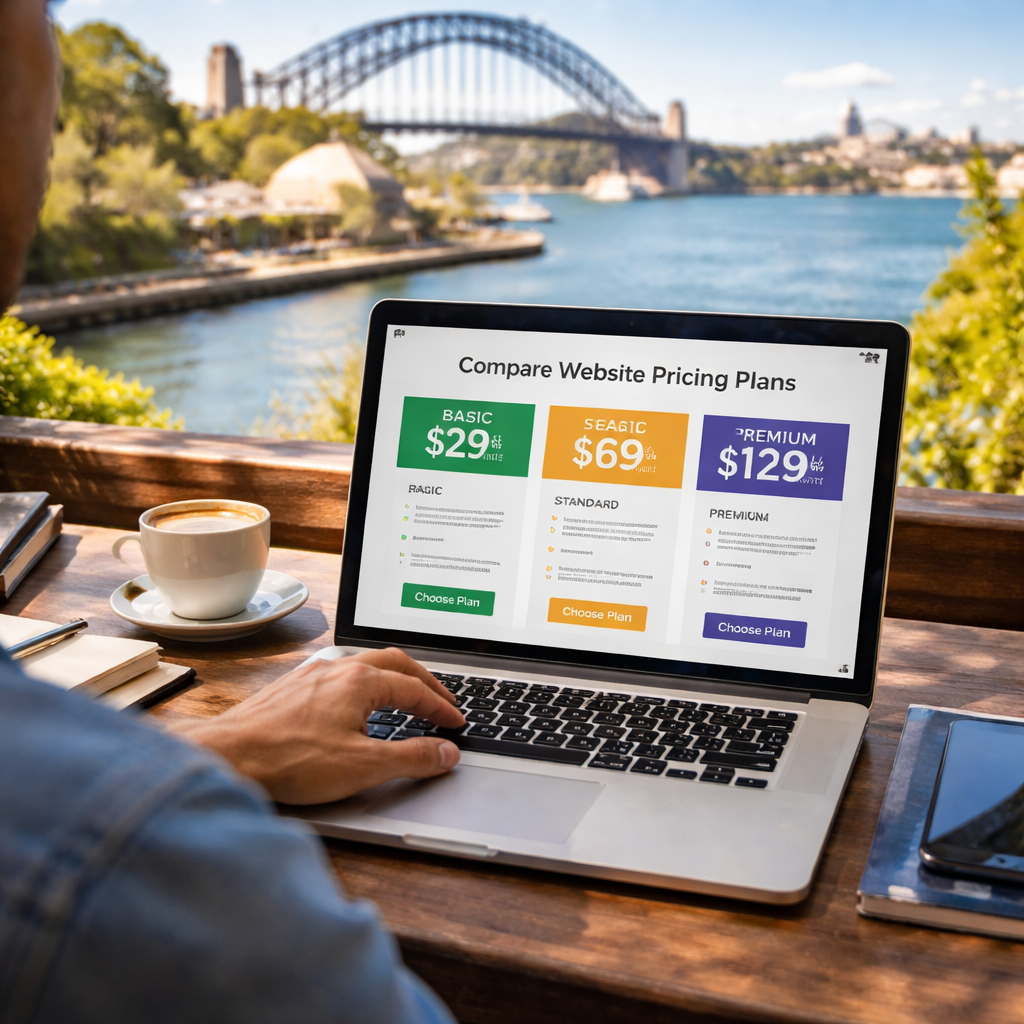
Ready to make a decision? Take your list, hop onto Free Website Chick’s pricing page, and pick the tier that feels like it won’t bite you later. Trust us, the right plan makes the rest of the build a breeze.
Want to see how pricing stacks against industry standards? Check out a detailed cost breakdown from website development cost guide—they break down the numbers across different project types.
That’s the roadmap. Pick wisely, budget smartly, and you’ll avoid surprise charges and keep your site running like a well‑oiled machine.
🐣 The Chick Punchy advice, no fluff, and occasional chicken puns.
Okay, you’ve nailed the what you need. Now it’s time to ask the price‑tag people what they’ll charge.
Think of it like booking a photographer for your wedding. You’d call a few, ask about the package, and then compare the numbers and what they’re actually delivering.
Here’s a step‑by‑step playbook that’ll keep you from overpaying and from ending up with a site that looks like a template.
Don’t just send a vague “I need a website.”
Instead, create a tidy spreadsheet or a Google Doc with sections:
Drop that document into the email and tell each agency to fill in the cost for each item.
Give a short 2‑minute pitch: “I run a boutique in Brisbane. I need a 5‑page site with a small product showcase. I’ll launch by the end of October.”
Ask the quick questions:
What you hear will hint whether the price is realistic.
When you get a few quotes, line them up in a simple table.
Feature | Agency A | Agency B | Freelancer C
List each line item from your RFP and put the dollar amount next to each. The goal is to see who delivers the most bang for your buck.
If an agency offers a “full package” that includes SEO, hosting, and maintenance, make sure those are listed. Hidden costs pop up later if they’re not.
Don’t just pick the cheapest. Look at what’s in the value column. If one provider includes free SSL and automatic backups, that’s a win that can shave a few hundred dollars a year.
Good devs will give you an estimate of hours for design, copy, coding, testing, and launch.
Use a simple 8‑hour day to translate that into an hourly rate. If a freelancer says 60 hours and charges $1,200, that’s $20 per hour. Compare that to a boutique agency that lists 80 hours for $4,000 – that’s $50 an hour, but they might bring in more experience.
Ask for a brief project timeline that shows milestones. It helps you keep the project on track.
Remember, a quote is just a starting point.
If a vendor’s price is a little above your bracket, ask if they can tweak the scope – maybe drop a blog or reduce custom graphics.
Don’t be afraid to say, “I’m also getting quotes from a couple of other teams. Let’s make sure we’re competitive.” It opens the door to discounts or added services.
Before you sign anything, make sure the contract spells out:
Ask for a “no‑surprise” clause that covers hidden costs. If they’re unwilling, consider another option.
Once the site is live, you’ll need a way to collect user feedback. A platform that stitches community responses into actionable insights can help you tweak the site without breaking the bank.
Check out Chatter – it’s a community feedback tool that lets you see what real visitors think about your pages, so you can keep improving without extra cost.
That’s the low‑down on getting quotes that work for your wallet and your business goals.
Grab your RFP sheet, start dialing, and keep the conversation honest and focused.
🐣 The Chick
Punchy advice, no fluff, and occasional chicken puns.
If you’re staring at the question of how much does a website cost, you’re probably weighing DIY, freelancer, or agency options. Each path has its own sweet spot – and the price tag can swing wildly.
DIY tools like Wix, Squarespace, or WordPress.com make the first page feel like a playground. The cost is usually a flat subscription – from $10 to $30 a month – or a yearly fee of $200‑$300. You pay for the platform, not for design or strategy.
Speed is the biggest win: you can launch in a day if you’ve got a clear vision and some design sense. But every tweak you want—custom branding, advanced forms, or an online shop—can turn into a learning curve and a hidden cost (premium templates, add‑ons, or external plugins).
For a small coffee shop or a freelance graphic designer, DIY can be a budget‑friendly launch pad. Yet the site usually looks generic, and you’ll spend hours fiddling with settings or hunting a tutorial.
Hiring a freelancer is a middle ground. You’ll pay a one‑off fee or hourly rate, typically between $40 and $80 an hour, depending on experience. The total project can run $1,500 to $5,000 for a 5‑page site, plus extra for e‑commerce or custom scripts.
Freelancers bring a personal touch. They’re often flexible, quick to pivot, and can hand you the source files or CMS credentials. However, they’re a single point of contact – if they’re juggling multiple gigs, you might face delays, or they may lack a dedicated support plan.
For a boutique in Brisbane looking to showcase products and accept online orders, a freelancer can hit the sweet spot: tailored design for a fraction of an agency’s fee, while still keeping the budget tight.
Agencies offer end‑to‑end service. The cost ranges from $5,000 to $15,000 for a polished, custom site, with monthly retainer packages that cover maintenance, hosting, and ongoing SEO. The higher price reflects a team of designers, developers, strategists, and project managers.
What you get is a strategic audit, brand‑aligned design, rigorous testing, and a documented handover. The risk is lower – if a bug appears, the agency owns the fix. The trade‑off? Longer lead times, usually 6–12 weeks, and a higher upfront spend.
If you run a wholesale business needing custom order forms, inventory dashboards, or multi‑language support, an agency’s structured process can keep the project on track and avoid costly scope creep.
Looking for a real‑world price example? Krrisp Digital’s cost guide breaks down the typical spend for Australian small businesses, and you’ll see how the agency model fits into that spectrum.
Here’s a bite‑size snapshot of what matters when you weigh the three options.
| Feature | DIY | Freelancer | Agency |
|---|---|---|---|
| Cost (up‑front) | $200‑$300 a year | $1,500‑$5,000 | $5,000‑$15,000 |
| Design Customisation | Template‑based, limited tweaks | Custom within scope, limited support | Full brand‑aligned design |
| Ongoing Support | Platform‑based support only | Optional add‑on, hourly rates | Included in retainer or separate plan |
So, which path feels right for your Brisbane café or Queensland boutique?
Think about how much time you can spare, how much control you need, and whether you’re ready to invest in a partner who can grow with you. The answer will help you avoid surprise costs and keep your site humming.
Now that we’ve mapped the playground, the next step is to choose the right tool and budget for your unique business. Keep the focus on what drives ROI, not just the sticker price.
🐣 The Chick
Punchy advice, no fluff, and occasional chicken puns.
So, you’ve got your main pages, a killer menu, and maybe a small online store. But what about the extras that keep your site humming? Think of optional features like live chat, a loyalty programme, or a newsletter signup. And what about maintenance—regular updates, backups, and security scans? Let’s unpack how to budget for both without breaking the bank.
Optional add‑ons are the sweetener for a simple site. They’re not essential, but they can turn a passive visitor into a repeat customer. Here are a few that many Brisbane cafés and Queensland boutiques love:
Each feature comes with a small monthly fee—often under $50—because it’s an extra plugin or API you’re paying to run. If you’re on a tight budget, pick one or two that align with your core goal. If you’re selling coffee and want to upsell a pastry, a pop‑up is worth the $20 a month. If you’re a boutique that thrives on customer loyalty, a small loyalty programme could pay for itself in repeat sales.
Maintenance is the invisible backbone. Think updates, backups, and security checks. A site that’s out of date feels like a sticky note on a broken phone—visitors notice and leave. Here’s a quick rundown of what you’ll typically pay for:
For a small brochure site, you’re looking at $200–$400 a year. For an e‑commerce store with dozens of products, maintenance can climb to $1,000+ per month if you’re handling everything yourself. The good news is that many providers, including Free Website Chick, offer a flat monthly maintenance package that bundles most of these items. That way, you budget a single line item and avoid surprise invoices.
Start with a checklist: which tasks are critical for your business? If you need daily backups and instant updates, look for a plan that covers those. If you’re okay with a monthly check‑in, a lighter tier could suffice.
Ask the provider: Do you offer a maintenance‑only subscription? What’s included in the first year? Do you handle SSL renewals? If the answer is “yes, we roll everything into one monthly fee,” you’ll get peace of mind and predictable costs.
1. Start with the essentials. Hosting, SSL, and backups are non‑negotiable. Add optional features one at a time, testing the ROI before the next purchase.
2. Use a maintenance schedule. Plan one day a week for updates and one day a month for content refreshes. This keeps work manageable and costs predictable.
3. Leverage free tools. WordPress.com offers automatic updates for free. For small sites, that can be a cost‑effective choice. If you’re on a managed platform, ask if they include these updates in the plan.
4. Set aside a contingency fund. Unexpected bugs or a need for a custom feature can pop up. Having a 10% buffer keeps you from scrambling.
Remember, a well‑maintained site is an investment that pays for itself through higher rankings, fewer downtimes, and happier customers.
Want to see how maintenance costs stack up for Australian small businesses? The website maintenance cost guide offers a detailed breakdown that’s worth a quick glance.
If you’re the proud owner of a local bakery, the first thing that pops into mind when you ask “how much does a website cost” is usually the design—those mouth‑watering images, the menu layout, and that slick checkout button. But the price tag is more than just pixels.
Think of the website as your shop front: you pay for the building (design), the utilities (hosting), the staff (maintenance), and the décor (updates, SEO). In 2026, the cost curve is steeper for a bakery that wants to sell online, manage inventory, and keep customers coming back for the next batch of croissants.
Let’s break it down into three buckets you’ll see on any price sheet: upfront build, ongoing hosting & SSL, and maintenance & growth.
Upfront build – A basic brochure style site with a photo gallery and a contact form starts around A$800–A$1,200 if you use a ready‑made WordPress theme. If you need a custom theme, e‑commerce cart, or a booking system, the build can jump to A$3,000–A$5,000. Most small bakeries in Brisbane find the mid‑tier range works best because it includes a responsive design, a simple menu builder, and basic SEO setup.
Hosting & SSL – The managed hosting fee in Australia averages A$30–$50 a month for a shared plan, while a dedicated VPS for higher traffic can run A$80–$120. SSL certificates are usually bundled for free with the hosting, but premium certificates cost around A$60 annually. Add that to the monthly fee and you’re looking at roughly A$90–$170 a month.
Maintenance & growth – Every month you’ll need updates, backups, and performance tweaks. A small bakery can get a maintenance package for A$70–$120. If you want on‑call support or monthly SEO reports, that can climb to A$150–$200. The key is to budget a 10–15% buffer for unexpected tweaks—think a new product launch or a seasonal banner.
Now, let’s pull in a real‑world example. A pastry shop in Redcliffe spent A$2,400 on a custom WordPress site, A$35 a month on hosting, and A$90 a month on maintenance. Over a year, that totals about A$3,800, or just under A$320 a month. They also added a simple newsletter signup for free, which drove a 12% lift in repeat orders.
You can validate these numbers by plugging your own data into a website cost calculator. The site at website cost calculator gives a quick snapshot and helps you compare your choices side‑by‑side.
The takeaway? Don’t just focus on the headline price. Look at what’s included: design, e‑commerce, hosting, security, and ongoing support. If you’re a bakery with a tight margin, choose a tier that covers the essentials and add extras as you grow. If you need a full‑featured online shop from day one, the upfront cost will be higher, but you’ll avoid adding layers later.
So, what’s the next step? Sketch a list of must‑haves, run the calculator, and talk to a provider that understands the pastry business. A clear budget will let you savour the profits instead of worrying about hidden fees.
🐣 The Chick
Punchy advice, no fluff, and occasional chicken puns.
Picture a fresh‑baked site that showcases your menu, shows a live order form, and keeps customers coming back for coffee. For a café in Brisbane, a simple brochure site starts around A$800, a small online store adds A$1,500, and a managed hosting plan costs roughly A$30–$50 a month. Add a maintenance package for A$70–$120 monthly and you’re looking at about A$1,100 to A$1,300 in the first year.
Hidden costs creep in when you add extras like premium plugins, custom design tweaks, or extra pages that the base plan doesn’t include. They can also show up as annual renewals for SSL certificates, domain extensions, or payment‑gateway fees. Always read the fine print and ask whether the monthly fee covers all ongoing services, including backups, security scans, and updates.
If you’re a freelancer or a boutique looking for a simple digital front door, the free or starter plan works well. You’ll get a basic domain, hosting, and a clean template. The cost can be under A$200 a year, and you can add a contact form and a small gallery for free. Later, when you need more features, you can upgrade without a huge overhaul.
Agencies may charge A$5,000–$15,000 for a polished custom site, plus a monthly retainer for maintenance. DIY builders like Wix or Squarespace cost A$10–$30 a month but usually require you to pay extra for e‑commerce or premium templates. The trade‑off: agencies handle everything but you pay more upfront, while DIY saves money but demands more hands‑on time from you.
Bundled hosting keeps the monthly bill flat and includes backup, security, and uptime guarantees. If you buy hosting separately, you might miss out on automatic updates or get charged a separate fee for SSL renewal. A bundled plan usually adds A$20–$30 a month but saves you the hassle of juggling separate providers and invoices.
For 50+ products, you’ll want a plan that supports inventory management, secure checkout, and product‑level SEO. A premium tier will cover these for about A$200–$300 a month, plus a one‑off design fee of A$1,500–$3,000. The cost scales with traffic and sales volume, but the predictable monthly fee lets you forecast ROI more accurately.
So, after chasing numbers, questions, and a few sleepless nights, the real takeaway is that “how much does a website cost” isn’t a mystery – it’s a budget plus a vision. If you’ve mapped your goals, the price will follow in plain sight.
What we’ve seen in Brisbane cafés, Queensland boutiques, and wholesale hubs is that the most affordable plan often sits on the Starter tier, but that doesn’t mean you’re cutting corners. It means you’re aligning cost with the pages you really need.
If you’re still stuck, grab a coffee, sketch a quick list of must‑haves, and compare that against the free, Starter, and Premium tables we laid out. The goal is to see the hidden extras in plain view before you sign on.
Remember, a website isn’t an expense – it’s an investment that can grow with your business. Keep the monthly bill predictable, monitor traffic, and tweak content so that every dollar spent nudges you closer to that primary conversion.
So, what’s the next move? Hit the “Get a Quote” button, tell the team what you need, and watch the numbers line up with your budget. The answer to “how much does a website cost” will finally feel like a friendly nudge, not a cliffhanger.

