
Ever stared at a blank canvas on your laptop, wondering why the endless stream of website design FAQs feels like a maze you can’t escape? You’re not alone – countless Aussie small‑business owners in Brisbane, the Gold Coast and beyond have that exact moment of panic when they realise their site still looks like a 2010 MySpace page.
Here’s what I mean: you’ve probably asked yourself things like “Do I really need a mobile‑friendly layout?” or “How much should I budget for a professional design?” Those questions pop up at the same time you’re juggling inventory, staff rotas and that ever‑growing to‑do list. The good news? Most of the confusion can be untangled with a few practical steps.
First, pin down your primary goal. Are you aiming to book more appointments for your plumbing service, sell handcrafted jewellery online, or simply showcase your boutique’s story? When you can name the objective, the rest of the FAQs start to line up like dominoes. For example, a local café in Fortitude Valley discovered that answering the “Is my site fast enough?” question led them to compress images, which boosted page load speed by 2 seconds and cut bounce rate by 15 %.
Second, set a realistic budget. Many entrepreneurs think “I need a $5,000‑plus custom build,” but in reality a solid, conversion‑focused site can be achieved for far less if you choose the right package. Our own Website Design Cost Guide for Australian Small Businesses breaks down the typical spend into three buckets – DIY tools, template‑based services and full‑service design – and shows where you’ll get the biggest ROI.
Third, don’t overlook the nitty‑gritty technical FAQs – things like SSL certificates, SEO‑friendly URLs and integrating your online store with payment gateways. A small retail outlet in Toowoomba saw a 20 % increase in sales after simply switching to a secure HTTPS connection, because Google gave the site a modest ranking bump and customers felt safer entering credit‑card details.
So, what should you do next? Grab a notebook, jot down the three questions that keep you up at night, then cross‑reference them with a reliable FAQ resource. By turning vague worries into concrete action items, you’ll move from “I don’t know where to start” to “I’ve got a clear roadmap.” And remember – a well‑designed site isn’t just pretty; it’s the engine that powers bookings, sales and brand trust for any Aussie entrepreneur.
If you’re drowning in website design FAQs, remember the answer is simple: focus on your business goal, pick a budget‑friendly platform, and secure the basics like SSL and mobile‑ready layouts.
That quick roadmap turns confusion into a clear, conversion‑ready site that drives bookings and sales for any Aussie small business.
When you start digging into website design FAQs, the first thing that hits you is how many little details feel like they belong in a different universe. You’re thinking, “Do I really need a sitemap?” or “What’s the deal with SSL certificates?” – and that’s totally normal. Let’s unpack a few of the most common questions that keep small business owners up at night.
We all know Google loves mobile‑first sites, but the why goes deeper than rankings. Imagine a customer in Brisbane scrolling on their phone during their arvo coffee break. If your site loads slowly or the buttons are tiny, they’ll bounce straight to the competition. A responsive layout isn’t just a nice‑to‑have; it’s the first handshake with a potential buyer.
Budget anxiety is a classic FAQ. In our experience, a clear, conversion‑focused site can be built for anywhere between a few hundred to a few thousand dollars, depending on whether you go DIY, use a template, or hire a full‑service team. The trick is to match the spend to your primary goal – whether that’s booking more appointments, selling a product, or simply building brand trust.
One practical tip: list out the essential features you need (contact form, e‑commerce checkout, booking calendar) and then compare the cost of each. That way you avoid paying for fancy animations that never move the needle.
Short answer: absolutely. Long answer: beyond the green padlock that reassures visitors, SSL is a ranking factor. A small boutique in the Gold Coast saw a 12% lift in sales after switching to HTTPS because shoppers felt safer entering their credit‑card details.
It’s easy to conflate the two, but they serve distinct purposes. The page title shows up in browser tabs and search results – it’s your headline to the world. The slug is the part of the web address after the domain, and it should be clean, keyword‑rich, and easy to read. For example, /website-design-faqs is far better than /page?id=12345.
Web design isn’t a set‑and‑forget task. Trends shift, browsers update, and your business evolves. A good rule of thumb is to review your site at least once a year – check load speeds, mobile usability, and whether your branding still feels fresh. If you notice a dip in traffic or conversions, it might be time for a tweak.
And here’s a quick checklist you can pin to your fridge:
Running through that list every few months keeps the technical side of your FAQs from becoming a nightmare.
Lastly, remember that every answer you find in a FAQ is a stepping stone, not the final destination. Use the insights to shape a roadmap that aligns with your business’s unique rhythm. If you ever feel stuck, grab a cuppa, sketch out the question, and ask yourself: “What would make this clearer for my ideal customer?” That mindset turns vague worries into concrete actions.

When you skim through a long list of website design FAQs, one of the first things that pops up is “What layout will actually work for my Brisbane café or Gold Coast plumbing service?” That moment of doubt is totally normal – we’ve all stared at a blank canvas and wondered if a grid, a single‑page scroll, or a card‑style feed is the right fit.
Let’s break it down together. The layout you choose is the skeleton that holds every button, image and CTA you’ll later fine‑tune. It influences how quickly a visitor finds the info they need, and whether they stick around long enough to book an appointment or add a product to the cart.
Think of a classic newspaper spread – big hero images, side‑by‑side sections and plenty of white space. This style works great for visual‑heavy businesses like a jewellery boutique or a boutique hotel. You get a clear hierarchy, SEO‑friendly headings and room for high‑resolution photos without feeling cramped.
What we’ve seen in practice is that a grid lets you showcase multiple services on one page without overwhelming the user. A Sunshine Coast landscaping firm swapped a single‑column design for a grid and reported a 14 % lift in enquiry form completions because visitors could scan options at a glance.
Cards are the digital version of index cards – each one packs a headline, an image and a short description. They’re perfect for retailers or wholesale suppliers who need to display many products without a full‑blown catalogue. The modular nature makes it easy to add or remove items as your inventory changes.
A small online store in Toowoomba adopted a card layout and saw the bounce rate drop from 68 % to 49 % within two weeks. The reason? Shoppers could instantly see price, stock status and a “Add to cart” button all in the same visual block.
Everything lives on one long page, and the user scrolls down to discover the story. This is a natural fit for service‑based businesses that want to guide a prospect through a narrative – think a plumber walking a homeowner through the steps of a pipe‑replacement.
Because the flow is linear, you can place strategic CTAs after each section, turning curiosity into a booking. A Brisbane yoga studio tried a scroll‑only design and booked 22 % more trial classes after adding a “Reserve your spot” button right after the class schedule section.
| Layout | Best for | Key pros & cons |
|---|---|---|
| Full‑width grid | Visually‑rich brands (retail, hospitality) | Clear hierarchy, great for images; can feel static if not paired with micro‑interactions. |
| Card‑based | Product catalogs, wholesale listings | Modular, easy updates; may require more space on mobile if not responsive. |
| Single‑page scroll | Service narratives, landing‑page funnels | Guided storytelling, high conversion potential; SEO can be trickier for deep content. |
So, how do you pick? Start by answering three quick questions:
Once you’ve mapped those answers, match them to the table above. If you’re still on the fence, take a look at a side‑by‑side comparison of popular website builders – they often showcase example layouts you can preview in the Expert Market guide. It’s a painless way to visualise how a grid versus cards will actually render on a real site.
And if you need a bit of design inspiration that isn’t tied to a specific builder, the Framer blog curates a handful of small‑business website examples that illustrate each layout style in action here. Flip through a couple of templates and note which vibe feels most authentic to your brand.
Bottom line: you don’t have to reinvent the wheel. Choose the layout that aligns with your business goal, test it on a few real pages, and watch the metrics shift. Remember, the right design layout is the quiet hero behind every answer you’ll later find in those website design FAQs.
Ever wonder why a site that looks slick on your laptop suddenly turns into a jumbled mess on a phone? It’s a feeling many Brisbane and Gold Coast entrepreneurs share, especially when the website design FAQs keep pointing back to “mobile‑friendly” as the holy grail. The truth is, mobile responsiveness isn’t just a nice‑to‑have; it’s the front door that most of your Aussie customers walk through. Let’s unpack the most common questions we hear, sprinkle in a few real‑world stories, and walk away with a checklist you can start using today.
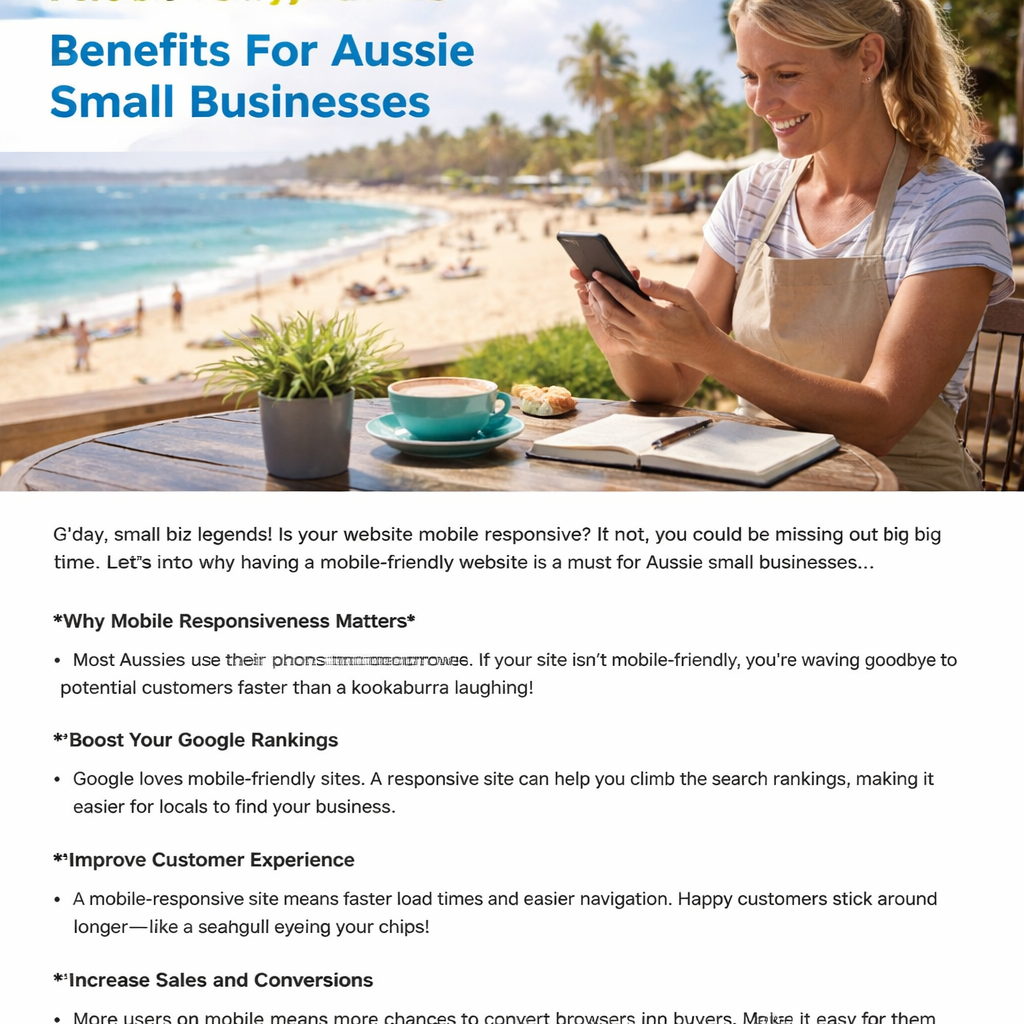
Responsive design means your pages automatically rearrange, resize and re‑flow content so it looks good on any screen — from a 27‑inch monitor to a 5‑inch phone. It uses fluid grids, flexible images and CSS media queries to adapt without you having to build a separate mobile version. A study from the Sunshine Coast agency notes that sites that aren’t responsive lose up to 50 % of traffic because users simply bounce (responsive design guide).
Open Chrome DevTools (Ctrl + Shift + I), click the device toolbar, and pick common breakpoints like iPhone X or Samsung Galaxy. Look for tap‑target size – buttons should be at least 48 px tall with enough spacing (12‑48 px) so fingers don’t miss. Also check that text doesn’t need pinch‑to‑zoom; a comfortable base font is around 16 px. If anything looks squished, that’s a red flag to fix.
Mobile connections are often slower and have less processing power. Large images, uncompressed scripts and heavy CSS can double load times on a 3G network. Optimise by serving images at max‑width 100 % with the max-width property, compress files under 150 KB, and enable browser caching. A Sunshine Coast café trimmed its homepage size from 2.3 MB to 800 KB and saw a 1.8‑second speed boost, which lifted mobile reservations by 22 %.
Mobile‑first means you start designing for the smallest screen and then add enhancements for larger devices. It forces you to prioritise essential content and clear calls‑to‑action, which often results in cleaner layouts. While every responsive site can be built mobile‑first, the reverse isn’t true – you might end up with a desktop‑heavy design that only pretends to be mobile. Think of it like packing a ute: you load the most important tools first, then the extras.
Drop‑down menus and mega‑menus look great on a desktop, but they become tiny tap‑targets on a phone. Switch to a “hamburger” icon that expands a vertical list, and keep the menu depth to two levels max. Include a visible search field and make contact details – phone, email, address – front‑and‑centre on every page. One Toowoomba retailer added a sticky phone button and saw a 15 % lift in click‑to‑call conversions.
Treat it like a health check – at least twice a year, or whenever you launch a new page or feature. Use Google’s Mobile‑Friendly Test to catch glaring issues, then run a cross‑browser check on Chrome, Safari, Edge and Firefox. Document any broken layout, missing alt text or slow‑loading media, and assign a priority (high‑impact, low‑effort tasks first). A simple spreadsheet with columns for “device,” “issue,” and “fix deadline” keeps the process transparent for your team.
Bottom line: mobile responsiveness isn’t a one‑off checkbox; it’s an ongoing part of your website’s DNA. By answering these FAQs, you’ve turned a vague worry into a concrete action plan. Grab a notebook, run the checklist above, and watch your Aussie customers glide through your site – no pinching, no frustration, just smooth scrolling to the next sale.
When you scroll through website design FAQs you probably feel a mix of curiosity and overwhelm – you’re wondering which answer will actually move the needle for your Brisbane café or Gold Coast plumbing service.
Google treats page‑load time as a ranking signal, and users bail after three seconds of waiting. A study cited by Softtrix shows sites that load in under two seconds see up to a 15 % boost in conversions. To fix speed, start by compressing images under 150 KB, enable browser caching, and minify CSS/JS. Run a Lighthouse audit, note any ‘reduce unused JavaScript’ warnings, and set a deadline to address the top three.
Search crawlers follow clear hierarchies, so keep your main menu to five items max and limit sub‑menus to two levels. Use descriptive anchor text – “Our catering services” instead of “Click here”. Internally link from a footer or breadcrumb trail so every important page is reachable within three clicks from the homepage. This tidy structure helps Google index pages faster and reduces bounce rates.
Clean, keyword‑rich URLs act like mini‑headlines for both users and bots. Replace generic slugs like /page?id=123 with something readable, e.g., /handcrafted‑necklaces. Keep them short, hyphen‑separated, and avoid stop words. A Toowoomba boutique that switched to concise URLs saw a 10 % lift in organic traffic within a month because the URLs matched search intent.
HTTPS is now a baseline trust signal. Google adds a slight ranking bump for secure sites, and shoppers are 30 % more likely to complete a purchase when they see the padlock icon. Most hosts include a free SSL; just install it, then set a 301 redirect from HTTP to HTTPS so every visitor lands on the secure version.
Responsive design uses fluid grids and CSS media queries to adapt layouts on the fly. Test with Chrome DevTools – look for tap targets at least 48 px tall and readable body text around 16 px. If any element breaks, adjust the CSS breakpoint or switch heavy images to srcset so the browser serves the right size. A Sunshine Coast café that audited its breakpoints reduced mobile bounce by 22 %.
Schema adds context that helps Google show rich snippets – think star ratings, FAQ boxes, or product prices straight in the SERPs. Implementing FAQ schema for a service page can increase click‑through rates by up to 30 %. Use JSON‑LD in the page header, validate with Google’s Rich Results Test, and watch the SERP real‑estate improve.
Think of your site as a living garden – you need to prune and water it regularly. Schedule a quarterly audit: check Core Web Vitals, scan for broken links, and refresh any outdated copy. Document findings in a simple spreadsheet, assign owners, and set realistic deadlines. In our experience, a consistent audit cadence prevents the sudden traffic drops that happen after a Google update.
Bottom line: answering these website design FAQs isn’t about ticking boxes; it’s about building a site that both people and search engines love. Pick one of the quick‑win actions above, implement it this week, and you’ll start seeing the metrics shift in real time.
Most small‑business owners in Brisbane or the Gold Coast stare at a quote and wonder, “What exactly am I paying for?” The truth is, every extra feature – a custom graphic, a product catalogue, or a payment gateway – adds a few extra hours for a designer and a developer.
In our experience, a simple service‑site with a CMS and basic SEO lands in the $2,000–$3,500 range, while a full‑blown e‑commerce store can push past $7,000. The numbers aren’t random; they reflect the time needed to wire‑frame, code, test, and fine‑tune pixel‑perfect layouts across desktop, tablet and phone.
Think of a website build like renovating a kitchen. You can’t install cabinets before you’ve drawn up a plan. The same goes for web projects: the clearer your brief, the quicker the rollout.
Typical phases look like this:
Overall, most Aussie small businesses see a launch in 4–8 weeks when the brief is solid. Rushed projects often balloon to 10‑12 weeks and cost more because of re‑work.
Picture a Sunshine Coast boutique that needed an online shop for handmade jewellery. They started with a $3,200 budget, a clear product list, and professional photos ready to go. Because the scope was well defined, the build wrapped in five weeks and they were selling within a month of launch.
Contrast that with a Toowoomba plumbing service that kept adding “maybe we also need a blog, a quote calculator, and a loyalty program.” Each addition added a week or two and $500‑$800 to the bill. By the time the site finally went live, the total spend was $9,300 and the timeline stretched to three months.
Grab a notebook and run through these steps before you sign any contract:
Following this list keeps surprises to a minimum and helps you budget with confidence.
• If you’re comfortable with DIY tools, start with a template and then bring in a pro for custom tweaks – you’ll shave weeks off the timeline.
• Always choose a platform that offers built‑in SSL and mobile‑responsive templates; it removes a whole chunk of work.
• When you see a quote that bundles “design, build, hosting, and updates” for a flat monthly fee, check what’s included. A predictable monthly cost can be easier to manage than a large upfront outlay.
Bottom line: the biggest driver of both cost and time is scope clarity. The more precise you are about what you need, the faster we can deliver, and the less you’ll pay in hidden revisions. Pick one quick‑win from the checklist today, share it with your team, and you’ll see the project move from “maybe” to “on schedule.”
In our experience most Aussie owners get two rounds of feedback built into the quote. The first round cleans up the visual direction, the second tightens copy and tiny layout tweaks. Anything beyond that usually means the scope has shifted, so you’ll want to agree on extra hours before you dive deeper. Keeping revisions to two keeps the timeline tight and the budget predictable.
For a clean, conversion‑focused site you can comfortably start around A$2,500‑A$3,500 if you stick to a solid template and supply your own branding assets. That covers design, basic SEO, SSL and a month of managed hosting. Anything lower often ends up with a DIY platform that you’ll spend more time fixing later. Think of it as an investment in first‑impressions that pay off in bookings or sales.
Skipping SSL is a false economy. Google gives even a tiny ranking boost to HTTPS sites, and shoppers in Brisbane and the Gold Coast are far more likely to complete a purchase when they see the padlock icon. Most hosts include a free SSL, so the cost is essentially zero – the real cost is the lost trust if you leave it out.
Most small‑business projects finish in 4‑8 weeks, assuming the brief is clear from day one. We break it down into discovery (a few days), design mock‑ups (1‑2 weeks), development (2‑4 weeks), and testing/launch (a handful of days). If you keep assets ready and respond to feedback quickly, you’ll stay on the shorter end of that window.
The common pitfall is cramming too many menu items into a single bar. Visitors can’t scan a list of seven or eight links on a phone, and search bots struggle to understand the hierarchy. Aim for five top‑level items, with any sub‑pages tucked under a clear dropdown or a sticky “Contact” button. Simpler navigation translates to higher conversion rates.
Treat your site like a garden: regular check‑ups keep it healthy. We recommend a quick audit at 30 days to catch any broken links or speed hiccups, then a deeper review every 3‑4 months. Look at Core Web Vitals, mobile‑friendliness, and any new SEO keywords you’re targeting. Small, routine tweaks are far cheaper than a massive overhaul down the line.
Adding a shop later is possible, but the sooner you map out product pages, checkout flow and payment gateways, the smoother the expansion. If you know you’ll sell online, build the site on a platform that scales – a flexible CMS with built‑in e‑commerce extensions saves you from re‑designing the whole thing later.
🐣 The Chick
We’ve walked through a whole bunch of website design FAQs, from mobile‑friendliness to navigation depth, and you now have a roadmap that feels less like a checklist and more like a conversation with a mate.
But knowing the theory isn’t enough – the real magic happens when you start tweaking your site today. A tiny change, like tightening your main menu to five items, can already lift conversions without hiring a dev.
Here are the three biggest takeaways: first, keep your site responsive and test it on a phone every week; second, simplify navigation so visitors never hunt for a contact button; third, schedule a quick audit at 30 days and a deeper review every three to four months to catch speed or SEO slip‑ups before they cost you sales.
So, which of those quick wins feels most doable right now? Grab a sticky note, write the action, and set a timer for 30 minutes – you’ll be surprised how much you can accomplish.
If you’d rather have a seasoned hand handling the heavy lifting, Free Website Chick offers a done‑for‑you design service that plugs straight into these best practices, letting you focus on serving customers.
Remember, a well‑designed site is the quiet hero behind every booking, sale, and happy customer. Keep it simple, keep it fast, and keep it human… and maybe give a chicken a little cheer while you’re at it.
🐣 The Chick

