
Ever stared at a spreadsheet, tried to guess how much a new website will cost, and felt your head spin? That’s the exact moment the website design cost calculator swoops in like a lifesaver, turning guesswork into clear numbers. In this intro we’ll unpack why having a calculator matters for Aussie small businesses and what to look for before you start clicking.
Think about your own shop – maybe you run a boutique in Fortitude Valley, or you’re the sole trader behind a local handyman service. You know you need a site that looks sharp, takes orders, and plays nice with Google, but you also have a tight budget and a looming arvo coffee bill. Without a quick way to see how design fees, hosting, and ongoing tweaks add up, you either overspend or end up with a half‑baked page.
A website design cost calculator strips the mystery by asking you just a handful of questions – type of site, number of pages, e‑commerce needs, and whether you want a custom build or a template. It then spits out a range, often broken down into design, development, and monthly maintenance. That way you can compare a DIY platform, a subscription service, or a full‑service agency without pulling your hair out.
So, why should you bother with a calculator right now? Because it gives you confidence when you pitch the project to a stakeholder, helps you set realistic expectations with a designer, and protects you from surprise invoices later. It also shines a light on where you can save – maybe you don’t need a bespoke checkout for a simple brochure site, or you can bundle hosting with a design package for a discount.
Grab a free calculator online, plug in your specifics, and you’ll walk away with a ballpark figure that feels realistic rather than terrifying. In the sections that follow we’ll walk you through the key variables, show you how to interpret the numbers, and give you a quick cheat‑sheet to keep on your desk. Ready to demystify website pricing and stop guessing? Let’s dive in.
🐣 The Chick
A website design cost calculator turns guesswork into a clear, realistic budget, letting Aussie small business owners instantly see how design, development and ongoing fees stack up. Use it to set expectations, compare DIY versus agency options, and avoid surprise invoices before you even start building your online project today.
If you’re a small business owner in Queensland, you probably want clarity more than jargon. When you picture a new website, the first win is knowing what you’ll actually pay. A website design cost calculator starts with your project scope and turns vague ideas into real numbers you can act on.
Before you splash out on a design package, take five minutes to map the scope. Ask yourself what this site is really for: do you want to sell products, book services, or simply raise awareness? The scope is the single biggest driver of cost, timeline, and what you’ll need from a designer.
Having these notes ready helps you answer the calculator quickly and honestly. It also means you won’t miss hidden costs later, like extra revisions or plugin add‑ons. So, what should you map first? Start with the site’s purpose, then trace the pages and features that support that purpose.
In our experience working with Aussie small businesses, a well‑scoped project keeps everyone honest. A Brisbane‑based retailer, for example, might need product pages, a simple checkout, and a basic blog; a service business could prioritise appointment scheduling and service pages. By defining scope up front, you avoid scope creep and late invoices, which is worth its weight in coffee.
Once you’ve got a draft scope, you can test it against a couple of realistic scenarios using the website design cost calculator. Does the price feel fair for the pages, features, and maintenance you’ve listed? If not, tweak the scope or consider a phased approach so you can hit milestones without blowing the budget.
Checklist to gather before you plug numbers:

So, take a breath. Step 1 is all about clarity. Nail the scope, and the rest starts to look affordable and doable. If you’re not sure where to start, remember that even a rough scope is better than a hazy dream. Let’s map it, then move forward with confidence.
🐣 The Chick
Now that you’ve scoped the number of pages, it’s time to ask yourself what the site actually needs to do. This is where the website design cost calculator starts to feel less like a spreadsheet and more like a conversation about your business.
Think about the moment a visitor lands on your home page. Do they need to book a service, buy a product, or simply call you for a quote? Write down each journey as a separate “feature bucket” – e.g., “online booking form,” “shopping cart,” “lead‑capture pop‑up.” When you plug those buckets into the calculator, each one adds a line‑item that explains why the price moves up.
Not every shiny widget is worth the extra dollars. A recent Australian study showed that e‑commerce functionality can add $8,000‑$20,000 to a project, while a basic contact form is usually under $500 according to Digital Nomads HQ. Ask yourself: will a live chat actually increase bookings for my boutique, or will it just sit there unused?
If you need a full‑blown store with inventory sync, a platform like Shopify or WooCommerce makes sense – but they also bring higher recurring fees. For a service‑based business that only needs a calendar, WordPress with a simple booking plugin can save you thousands. The calculator will automatically adjust the hosting and licence costs based on the platform you pick.
Imagine you run a wholesale hardware supplier in the Gold Coast. You want a product catalogue, a bulk‑order form, and an inventory API. Instead of launching all three at once, start with a static catalogue (low cost) and schedule the API integration for the next quarter. The calculator will show you a “phase 1” total and a “phase 2” uplift, helping you plan cash flow.
Automation is a cost driver that often gets overlooked. Connecting your form to HubSpot, for example, can cost $500‑$2,000 depending on complexity as Green Bull explains. But the time you save on manual data entry usually pays for itself within weeks. Write the integration name next to the feature in your calculator sheet – you’ll see exactly how much budget it consumes.
Every feature you add creates a maintenance line item. A shopping cart needs security patches, a booking system needs calendar updates, and any third‑party plugin may require a yearly licence. When you run the website design cost calculator for the second time, add a 10‑15 % buffer for annual upkeep. It’s easier to budget for a $300‑$500 yearly fee than to be surprised by an unexpected invoice.
When you run through this list, you’ll have a realistic, itemised number that you can show to a designer or use to set your own budget. And because the calculator breaks down costs by feature, you can easily trim or upgrade later without starting from scratch.
Give it a go: pull up the calculator, type in “online booking” and “basic SEO,” and watch the numbers reshape. You’ll see exactly where a $500 upgrade can boost conversions, and where a $1,000 cut won’t hurt at all.
🐣 The Chick
Alright, you’ve nailed the scope and the feature list – now it’s time to ask the uncomfortable question: how much will the actual hands‑on work cost? This is where the website design cost calculator turns your gut feeling into a concrete number, and where you avoid the classic “it’ll be cheap until the developer starts coding” surprise.
Think of your project like a road trip. You wouldn’t drive straight from Brisbane to Cairns without stopping for fuel, right? Split the work into three logical phases: Discovery & Wireframing, Build & Test, and Launch & Polish. For each phase, note the estimated hours and the hourly rate of the person doing the work – whether it’s a freelance front‑end dev, a local agency, or an in‑house tech‑savvy.
Example: A boutique clothing store in South Brisbane needs a custom product carousel. In Discovery you’ll spend 4 hours mapping the user flow, in Build you’ll need 12 hours of JavaScript work, and in Launch another 3 hours for QA. If the dev charges A$80 per hour, that feature alone costs A$1,600.
Not all hours are created equal. Integrating a payment gateway, for instance, often commands a higher rate because of security compliance. In our experience, a “standard” UI tweak might be A$60 / hr, while a PCI‑compliant checkout integration could be A$100 / hr. When you plug those numbers into the calculator, the line‑item jumps noticeably – and you’ll thank yourself for budgeting it up front.
Every website has a few invisible tasks that slip into the invoice if you don’t plan for them: content migration, image optimisation, SEO meta‑tagging, and accessibility testing. A quick rule of thumb is to add 10‑15 % of the total development hours as a buffer. So if your summed hours are 80, add an extra 8‑12 hours to the calculator.
Imagine a plumber in the Gold Coast who wants a booking calendar, a service‑area map, and a simple blog. The plumber’s budget is tight, so the calculation looks like this:
Total labour cost: roughly A$2,280. Plug those figures into the calculator and you instantly see how a $300‑$500 tweak to the booking system can blow up the budget, while the blog template is a low‑risk win.
If you need a deeper dive on how each cost component fits together, check out our Website Design Cost Guide for Australian Small Businesses. It walks you through typical price ranges and where you can trim without hurting performance.
Once the site is live, the work isn’t over. Ongoing help‑desk support, routine updates, and occasional tweaks are part of the total cost of ownership. A handy reference for that extra line‑item is A Practical Guide to Help Desk Outsourcing for SMBs. It shows how a modest monthly retainer can keep your site humming and protect you from unexpected spikes.
So, grab your calculator, plug in the hour‑rates, add the buffer, and you’ll walk away with a realistic labour budget that you can hand to a developer or use to negotiate a fixed‑price quote. No more guessing, no more nasty surprises – just a clear path to a site that works for your business.
🐣 The Chick
You’ve just fed your scope and feature list into the website design cost calculator. The next line‑item that pops up might look tiny – $10 a month for hosting – but ignore it and you’ll end up with a site that’s slow, insecure, or downright offline.
In our experience, the hidden cost of not budgeting for ongoing upkeep can be as high as 10 % of your total project spend each year. That’s why we treat hosting, maintenance, and any add‑ons as a core part of the calculation, not an after‑thought.
1. Assess traffic expectations. If you expect under 5 000 visits a month, a shared WordPress‑friendly host (think $10‑$15 AUD per month) is usually enough. A boutique clothing shop in Fortitude Valley used this route and saw page‑load times under two seconds.
2. Match platform to host. WordPress sites need PHP 8+ and MySQL 5.7+. Shopify‑style stores require a platform that bundles SSL and PCI compliance – often a managed solution that costs $80‑$120 AUD per month.
3. Calculate monthly cost. Plug the chosen package into the website design cost calculator under “Hosting”. The tool will roll the figure into your annual budget so you can compare a $120‑year shared plan against a $1 440‑year VPS plan.
4. Factor in scalability. A wholesale distributor on the Gold Coast started with a $15 AUD shared plan, but after hitting 8 000 monthly visits they switched to a VPS at $80 AUD/month. The calculator showed the upgrade would add $780 to the first‑year cost – a predictable bump rather than a surprise.
Every site needs regular security patches, plugin updates, and backups. If you’re handling it yourself, count the hours you’d spend each month – roughly 2‑3 hours for a modest site. At an internal rate of $70 AUD/hour that’s $140‑$210 per month, or about 5‑7 % of a $3 000 project.
Most small‑business owners prefer a managed maintenance plan. It usually runs 5‑10 % of the original build cost annually. For a $4 000 site, expect $200‑$400 a year for things like:
Enter this figure into the calculator under “Maintenance” and you’ll see a realistic total cost of ownership.
Now that the basics are covered, think about the little things that keep a site humming and convert visitors:
Plug each of these into the calculator as optional line‑items. You’ll instantly see how a $120‑year SSL upgrade compares to a $360‑year CDN – perfect for prioritising spend.
When you walk away with that total, you’ll have a budget you can show a developer, a bank, or your own accountant without any guesswork.
And remember, a well‑maintained site isn’t just a line‑item; it’s a revenue‑protecting asset. A broken checkout because you skipped the security update costs far more than the $200 you set aside for yearly maintenance.
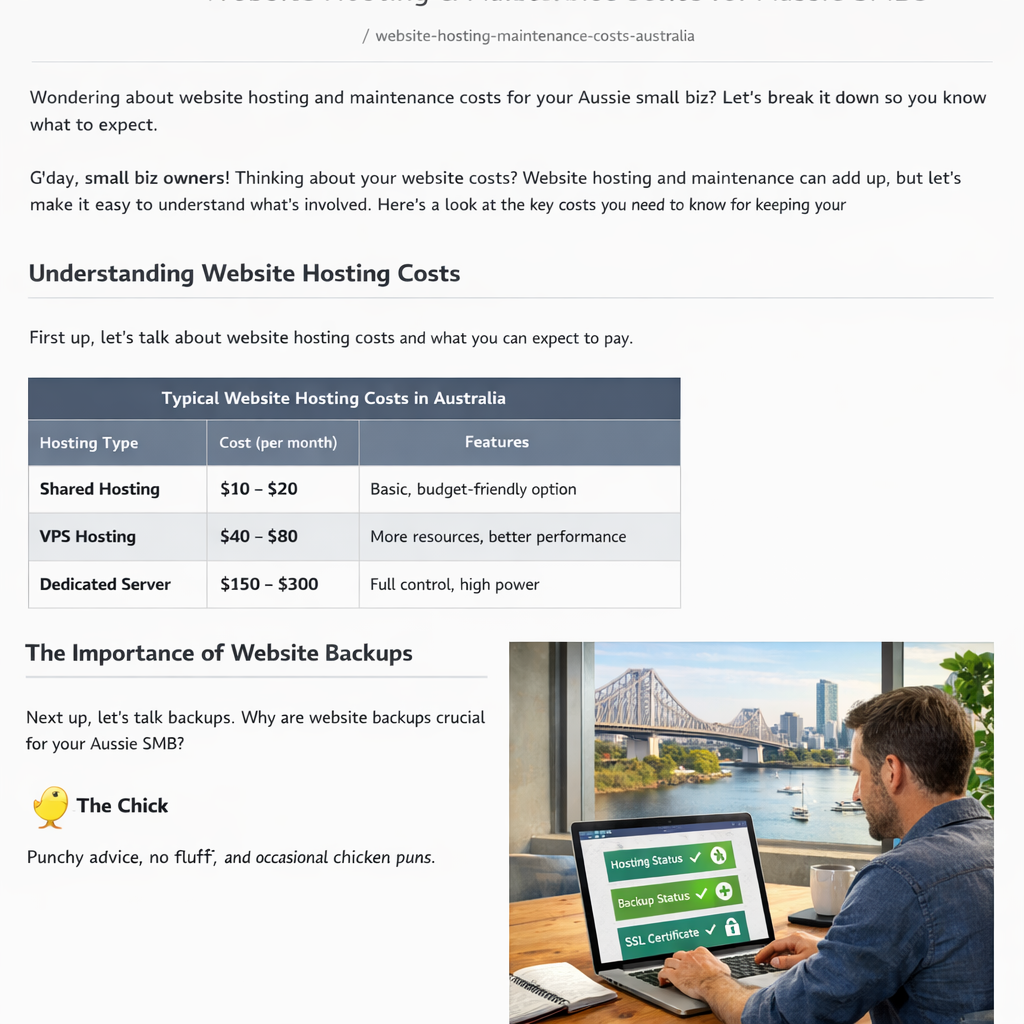
Take these steps, feed the numbers into your calculator, and you’ll have a clear, realistic picture of what hosting, maintenance, and extras really cost – no surprises, just confidence.
🐣 The Chick
Alright, you’ve fed every line‑item into the website design cost calculator and you’ve got a big number in front of you. Now the real question is: which pricing model lets you get that number under control without pulling your hair out?
Do you prefer knowing exactly what you’ll pay each month, or are you comfortable with a one‑off invoice that covers everything? The answer shapes the model you pick, and the table below makes the choice as easy as ordering a flat white.
Australian web agencies and freelancers typically fall into four camps – hourly, fixed‑price, subscription, and a hybrid of the two. Each has its own rhythm, risk, and reward. Below is a snapshot of what you can expect.
| Pricing Model | How It Works | When It Fits Your Business |
|---|---|---|
| Hourly | You pay for every minute a developer works. Rates in Australia range from $80 to $200 per hour, depending on expertise. | Great for small tweaks, undefined scope, or when you need flexibility to add features later. |
| Fixed‑price | A single quote covers the whole project from start to launch. The calculator rolls all line‑items into one total. | Ideal when your scope is crystal clear and you want budget certainty – e.g., a brochure site with set pages. |
| Subscription | You pay a flat monthly fee that includes design, hosting, updates and support. Think of it as a “website as a service” package. | Perfect for busy owners who don’t want to chase invoices and prefer predictable cash flow. |
| Hybrid | Combine a base fixed price for core build plus an ongoing retainer for maintenance or future upgrades. | Works when you need a solid launch foundation but also want a safety net for post‑launch tweaks. |
Notice how each model lines up with a different business mindset. If you’re a retail shop in Brisbane that needs a quick launch before the holiday rush, a fixed‑price deal might give you peace of mind. If you run a service‑based business and expect to add booking plugins over time, the hybrid approach keeps things flexible.
So, how do you actually compare them? Grab your calculator, plug in the same feature set for each model, and watch the totals shift. You’ll see that hourly work can balloon if scope creeps, while a subscription smooths out the spikes but adds a recurring cost.
1. Set a baseline. Choose one core feature set – say a 5‑page site with a contact form and basic SEO.
2. Run the hourly scenario. Enter an estimated hour count (maybe 40 hrs) and a rate of $120 / hr. The calculator will give you $4,800.
3. Switch to fixed‑price. Replace the hourly line with a flat $4,200 quote. Compare the difference – you’ve saved $600 but lost the ability to add extra hours later without renegotiating.
4. Test a subscription. Input a $150 / month plan (includes hosting, updates, and a few design tweaks). Multiply by 12 – $1,800 a year. Add a one‑off build fee of $2,500, and you’re at $4,300 – close to the fixed price, but with ongoing support baked in.
5. Try hybrid. Combine the $2,500 build fee with a $100 / month maintenance retainer. That’s $3,700 over a year, giving you a lower upfront spend and a modest monthly cost.
When you line these numbers up side‑by‑side, the model that feels least stressful is the one that matches your cash flow and risk tolerance.
And here’s a handy tip from the Aussie market: most agencies will give you a discount if you commit to a 12‑month subscription – it’s their way of securing steady income, and it often saves you 5‑10 % on the total build cost. Australian web design pricing models break this down nicely.
Bottom line? Use the website design cost calculator not just to add up numbers, but to visualise how each pricing model stretches or shrinks your budget over time. Pick the one that lets you breathe, not the one that makes you gasp.
Ready to pick a model? Grab your calculator, plug in the scenarios above, and let the numbers tell you which path feels right for your business.
🐣 The Chick
You’ve already fed every line‑item into the website design cost calculator, so now the numbers are staring back at you. The next move is turning those figures into a solid budget you can actually live with and then getting real‑world quotes that match.
First, export the calculator’s breakdown – most tools let you download a CSV or simply copy the table. Look for three buckets: build cost, ongoing monthly fees, and optional extras. Add a 5‑10 % contingency on the build side; it covers hidden tasks like content migration or a last‑minute colour tweak.
Next, translate the monthly fees into an annual total. If your calculator shows $120 a month for hosting, $80 for maintenance and $30 for a SSL certificate, that’s $2 880 a year. Write the grand total next to the build cost so you can see the full 12‑month picture in one glance.
Does the sum feel like a breath of fresh air or a chokehold? If it leans toward the latter, you probably need to trim an optional extra or look at a cheaper hosting tier before you chase quotes.
Now that you have a target number, start reaching out to a handful of local agencies or freelancers. Send them the exact spreadsheet you just created – it saves everyone time and forces the quote to be apples‑to‑apples.
Ask for a line‑item breakdown that mirrors the calculator. A good quote will say, for example, “Custom homepage design – $1 200, WordPress setup – $800, Monthly maintenance – $90”. If a provider lumps everything into a vague “project fee”, push back politely and request the detail.
Tip: aim for three quotes. With three data points you can spot outliers and negotiate from a position of knowledge.
Not every line item is set in stone. If a developer charges $150 for a contact form, you might say, “I’m comfortable with $80 because the calculator shows a basic form costs under $100”. Most Aussie freelancers will adjust when you show the market benchmark.
Also, discuss payment terms. A lower upfront fee paired with a monthly retainer can ease cash‑flow, especially if you’re a retail shop counting on seasonal sales. Conversely, if you prefer a fixed price, ask for a discount if you sign a 12‑month support agreement – we’ve seen 5‑10 % savings on that model.
When you’ve settled on the best quote, get it in writing. A simple contract should outline scope, milestones, payment schedule, and what happens if scope creeps.
Finally, feed the agreed‑upon numbers back into your website design cost calculator. You’ll see the exact “what‑if” scenarios – what if you add a blog later, or upgrade to a premium theme. Keeping the calculator handy means you can revisit the budget without starting from scratch.
Remember, a budget isn’t static – revisit the website design cost calculator every quarter as your business grows, and adjust quotes accordingly to stay on track.
And there you have it: a clear, realistic budget, a set of vetted quotes, and the confidence to move forward without fearing surprise invoices.
🐣 The Chick
A website design cost calculator is a simple online tool that takes the pieces of your project – pages, features, platform, hosting – and turns them into a ball‑park budget. Think of it like a quick coffee‑shop estimate before you sit down with a designer. It removes the guesswork, helps you set realistic expectations, and gives you the confidence to negotiate a fair quote.
While no calculator can predict every hidden tweak, the figures are solid enough for budgeting. It uses industry‑average rates for Aussie developers and standard pricing for hosting, plugins and licences. If you feed accurate page counts and feature lists, you’ll see a range that’s usually within ±10 % of the final invoice. Treat it as a guide, not a binding contract.
You can run the same calculator for a five‑page brochure and a 200‑product online shop – just swap the numbers. A basic site will show a few hundred dollars for hosting and design, whereas an e‑commerce store adds costs for a shopping cart, payment gateway and extra security. The tool automatically adjusts the line‑items, so you instantly see where the big jumps happen.
You don’t need to be a coder, but a few basics help you fill the fields confidently. Know how many unique pages you’ll have, whether you need a blog, a booking form or a checkout, and which platform you prefer – WordPress, Shopify or a custom build. If a term feels fuzzy, just jot down a placeholder; you can always refine it later before you lock in the numbers.
Treat the calculator like a living spreadsheet – check it at least once a quarter, or whenever you add a new feature. Seasonal promos, extra product lines or a redesign of the homepage can shift the cost balance. By plugging the updated numbers back in, you’ll spot when a maintenance budget needs a bump or when you can afford a small upgrade without breaking the bank.
If the calculator flashes a figure that’s higher than you’re comfortable with, start trimming the scope. Ask yourself which feature is a ‘nice‑to‑have’ versus a ‘must‑have’. You can also look at cheaper plugins, a shared hosting plan or a phased rollout – build the core now and add extras later. Most designers will respect a clear, itemised budget and work with you to find a win‑win solution.
The calculator we recommend is free to use and doesn’t ask for any sensitive business data – just the basics you’d already need for a quote. It runs in your browser, so nothing is stored on a third‑party server unless you choose to save a report. That means you can experiment with numbers without worrying about privacy or hidden fees.
We’ve taken you from sketching a rough page list right through to plugging every line‑item into the website design cost calculator. By now you should feel more in control than the night before a client meeting.
So, what does all that number‑crunching mean for your small business in Brisbane or the Gold Coast? It means you can spot the cheap wins – like swapping a pricey plugin for a free alternative – and see exactly where a $1,000 upgrade will actually move the needle.
In our experience, the most confident Aussie entrepreneurs are the ones who treat the calculator like a living spreadsheet – updating it each quarter keeps budgets honest and prevents surprise invoices.
Ready to put your numbers to the test? Grab the free website design cost calculator, plug in your own specs, and watch the path to a launch‑ready site become crystal clear.
Give it a go today.
🐣 The Chick

