
If you’ve been staring at your current site wondering why visitors bounce faster than a Brisbane summer fly, you’re not alone. That’s where website redesign services step in.
Imagine you’re a local café owner, juggling espresso shots and invoices, and your website still looks like it was built in the dial‑up era. Does that make sense?
We’ve seen countless small businesses in Queensland lose sales simply because their online home feels clunky, slow, or just plain outdated.
What hurts most isn’t the design itself; it’s the hidden cost of missed appointments, abandoned carts, and the creeping doubt that “maybe I’m not tech‑savvy enough.”
Here’s a thought: a fresh, purposeful redesign can turn those lost clicks into real foot traffic or phone calls, without you needing to become a coding wizard.
That’s the promise behind professional website redesign services – they blend strategy, branding, and usability into a site that works for you, not against you.
In our experience, the biggest mistake is trying to DIY a makeover with cheap templates and hoping the magic happens. Spoiler: it rarely does.
Instead, start with a quick audit: check load speed, mobile friendliness, and whether your contact info is visible within three seconds.
If any of those feel off, you’re probably due for a revamp. And the good news? You don’t have to pause your business while the redesign rolls out.
We usually work on a staged plan – a sandbox version of the new site runs alongside the old one, so you can test and give feedback in real time.
That approach means your customers keep finding you, while you watch the new design take shape, tweaking copy, images, and calls‑to‑action as you go.
Think about the confidence boost when your site finally reflects the quality of your product – whether you sell handmade soaps or wholesale furniture.
And when the launch day arrives, you’ll have a site that loads in a snap, looks sharp on any device, and guides visitors straight to the next step.
So, what’s the next move? Take a moment to list three frustrations you currently face with your website. Write them down.
Next, match each frustration to a simple solution – faster loading, clearer navigation, or stronger branding – and you’ve got a mini‑roadmap for your redesign.
Ready to turn that roadmap into reality? Let’s dive deeper into how a structured redesign process can lift your business without breaking the bank.
If your site feels stuck in the past, our website redesign services can transform it into a fast, mobile‑friendly showcase that actually drives bookings and sales for Brisbane‑based small businesses.
Start by listing three pain points, match each to a simple fix—speed, navigation, branding—and watch your new site lift conversions without halting daily operations.
Alright, let’s roll up our sleeves and actually look at what you’ve got right now. It can feel a bit like opening the fridge and wondering why there’s a wilted lettuce leaf in the middle – you know something’s off, but you need a plan to sort it out.
First thing’s first: grab a notebook or open a Google doc and list the three biggest frustrations you have with your site. Is it the endless loading spinner? The menu that disappears on mobile? Or maybe the contact details are buried so deep you’d need a treasure map to find them?
Open your homepage in a private browser window and time how long it takes to become usable. If you’re hitting more than three seconds, you’re losing visitors. A quick Google “PageSpeed Insights” test (just type your URL into the tool) will give you a score and pinpoint the culprits – big images, uncompressed files, or too many scripts.
Think about it this way: a customer walking into a brick‑and‑mortar shop that takes a minute to open the door will probably walk away. Same principle online.
Pick up your phone, tap your site’s URL, and see what happens. Can you tap the menu without it wobbling? Is the text readable without pinching? If you’re squinting or scrolling sideways, that’s a red flag.
Remember the old adage: “If it isn’t mobile‑first, it’s mobile‑last.” Most of our Brisbane clients see a bounce‑rate drop just by fixing a few mobile quirks.
Read the headline on your home page. Does it instantly tell a visitor what you do and why they should care? If you need to scroll or hunt for a tagline, chances are your visitors do too.
Take a moment to ask a friend: “What do you think this business sells?” If they guess wrong, your messaging needs tightening.
While you’re auditing, consider how fresh visuals could lift the whole experience. Pairing a sleek redesign with professional photography can make a world of difference. For top‑tier headshots, check out Alfapics for images that scream credibility.
And if you’re thinking about adding video storytelling to showcase your brand’s personality, Clear Source Media is a solid partner for high‑quality brand videos that complement a new site.
Back on the audit – don’t forget SEO basics. Pull up Google Search Console and glance at the coverage report. Any 404 errors? Broken links? Those tiny glitches can hurt both user experience and rankings.
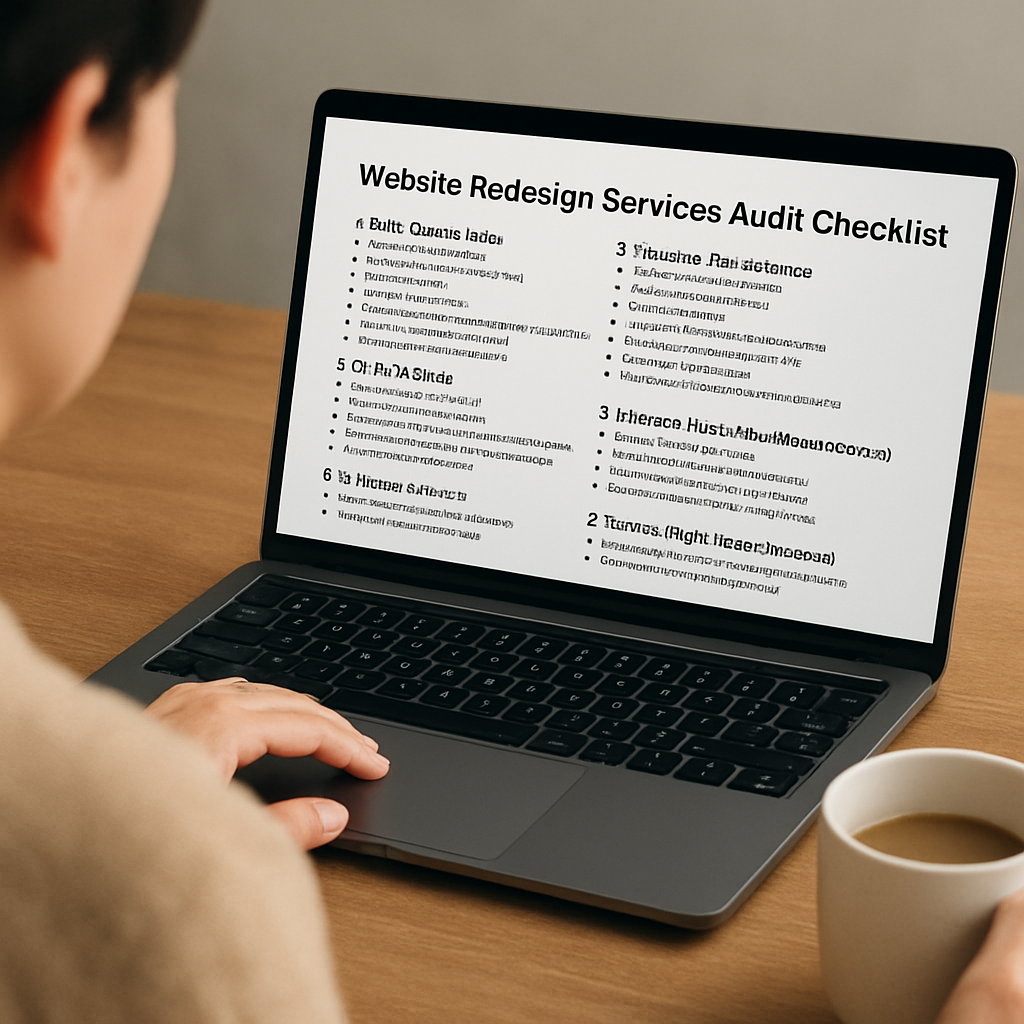
Here’s a handy checklist you can copy‑paste:
Once you’ve filled in the blanks, you’ll have a clear picture of where you stand and what needs fixing. It’s like a health check‑up for your digital storefront.
Need a deeper dive into how to turn those audit findings into a solid redesign plan? Our step‑by‑step guide walks you through every stage – you can read it Practical website design for small business for more tips.
Now that you’ve scoped the current situation, the next step is mapping out the ideal future state – but that’s a story for the next section.
Now that you’ve taken stock of where your site stands, it’s time to ask the big “what do we actually want?” question. Without clear goals, even the best website redesign services can drift into feature‑bloat and cost overruns.
Start by listing three to five outcomes that matter most to your Brisbane café, your wholesale furniture shop, or your service‑based consultancy. Typical examples include:
Notice how each statement is specific, measurable, and tied to revenue or efficiency. Vague goals like “make the site look nicer” are hard to justify when you talk dollars and cents.
Take each business outcome and break it into a redesign goal. For the booking boost, the goal could be “simplify the booking flow to two clicks.” For speed, “implement lazy loading and compress images.” For mobile conversions, “create a mobile‑first layout with large tap targets.”
Write these goals on a separate column of your audit sheet – you’ll refer back to them when scoping features and estimating costs.
Here’s a quick three‑step method that we use with our clients:
Tip: keep a 10‑15% contingency fund for unexpected tweaks. It’s far cheaper than pausing the project later to add “just one more thing.”
Pull the analytics you collected in Step 1. If your bounce rate on the product page sits at 68% and the average order value is $120, a 5% improvement could mean an extra $720 per 1,000 visitors. That kind of ROI story makes it easier to get stakeholder buy‑in.
Even a simple spreadsheet that links each goal to an expected lift and an estimated cost can turn a vague “we need a new site” into a solid business case.
Sarah runs a boutique clothing store in Fortitude Valley. Her audit showed a 4‑second load time and a checkout funnel that required four clicks. She set three goals: cut load time to 2 seconds, reduce checkout steps to two, and grow online sales by 15%.
She scoped the project: essential – image optimisation, streamlined checkout; nice‑to‑have – seasonal animation banner. The budget landed at $4,200 with a $500 contingency. After launch, load time dropped to 1.8 seconds and sales rose 18% in two months. The numbers spoke for themselves.
When you brief a website redesign services partner, bring this goal‑budget matrix along. For businesses that want to future‑proof their hosting while redesigning, cloud platforms like Amazon Web Services offer scalable infrastructure that can grow with traffic spikes – a point worth mentioning when budgeting for ongoing performance.
| Goal | Key Metric | How to Define |
|---|---|---|
| Faster load time | First Contentful Paint < 3 s | Run speed test, set image‑compression target, add CDN. |
| Higher mobile conversion | Mobile CVR +2 pp | Map mobile checkout flow, reduce clicks, enlarge CTA. |
| More bookings | Bookings per month +20% | Streamline booking form, add clear calendar UI. |
Take a few minutes now to fill out this simple framework. The clearer your goals and budget, the smoother the redesign journey will be – and the more likely you’ll see real results without surprise costs.
So you’ve nailed down your goals and budget – now the real question is who’s going to turn that plan into a site that actually works for your Brisbane café or Queensland‑based service business. Picking the right partner feels a bit like dating: you want chemistry, clear communication, and someone who gets your quirks without demanding a fortune.
Grab a notebook and write down every agency or freelance developer you’ve heard about. Include the ones that showed up in a Google search, the local meet‑ups you attended, and any referrals from fellow small‑business owners. At this stage, just the name and a one‑sentence note about why they popped up – “heard they’re good with e‑commerce” or “recommended by a neighbour who runs a boutique.”
Does the list feel manageable? If it’s more than five, trim it. Too many options usually mean you’ll waste time chasing dead ends.
Look for projects that mirror your industry or size. A designer who’s built a booking system for a hair salon in Gold Coast is more likely to understand your needs than someone who only does large corporate sites. Open a few case studies and ask yourself: does the visual style feel like something my customers would trust? Are the load times quick? Do the calls‑to‑action sit where I’d expect them?
And remember, you don’t need a perfect replica – you just need evidence they can solve the same problems you’re facing.
When you reach out, have a short script ready. Something like: “We’re looking for a partner who can help us hit a 2‑second load time and simplify our booking flow. How have you tackled that before?” Their response should give you three clues:
If they start talking about “premium packages” before you even share your budget, that’s a red flag.
Ask for two recent clients who are willing to chat. A quick 10‑minute call can reveal a lot: Was the project delivered on time? Did the partner stay within budget? How responsive were they when a bug popped up after launch?
Don’t just take their word for it. If a reference mentions “the team was always one email away” that’s gold. If they sound uncertain, move on.
Once you’ve narrowed it to one or two contenders, ask for a detailed proposal. It should break down:
Seeing numbers on paper helps you compare apples to apples and prevents surprise invoices later.
At the end of the day, you’ll probably have a favorite based on personality and portfolio. Give yourself a quick sanity check: does the partner’s pricing line up with the $3,000‑$5,000 range you scoped earlier? Does their proposed timeline fit around your busy season?
If the answer is “yes” and you feel comfortable, you’re ready to sign the contract and hand over that brief you spent so much time perfecting.
Remember, a good design & development partner isn’t just a vendor – they become an extension of your team, helping you turn those audit numbers into real‑world sales.
Ready to start the conversation? Grab that shortlist, fire off a few emails, and let the right partner step up.

Alright, you’ve handed the design files over, the developers have built the pages, and the budget is still on track. Now the real sprint begins – getting that shiny new site live without tripping over hidden bugs.
Never, ever push straight from your dev environment to the world. Spin up a staging copy on a sub‑domain (e.g., stage.yourbusiness.com.au) and treat it like the real thing. This is where you’ll do all the heavy lifting – content swaps, URL redirects, and final QA.
Pro tip: keep the staging site password‑protected but share the credentials with a handful of trusted staff and a couple of loyal customers for a quick reality check.
We like to break the checklist into three buckets: content, technical, and user‑experience.
If you need a ready‑made list, White Peak Digital’s comprehensive launch checklist covers all the bases.
Page speed is a make‑or‑break factor. Google tells us 53% of mobile users abandon a site that takes longer than three seconds to load. Run a full audit with tools like PageSpeed Insights or WebPageTest on the staging URL. Capture First Contentful Paint (FCP) and Time to Interactive (TTI) – aim for under 2 seconds wherever possible.
If you spot a heavyweight script or an uncompressed image, shrink it now. Remember the case of a Brisbane retail shop that saw conversions plunge from 3.2% to 1.8% after a redesign because image files averaged 4 MB each. After optimisation, load time dropped to 1.9 seconds and conversions bounced back to 3.5% within three weeks.
Don’t assume “it works on my laptop”. Test on Chrome, Safari, Firefox, and Edge, plus on iOS and Android. Services like BrowserStack let you flip through dozens of device combos in minutes. Look for layout breaks, missing fonts, or JavaScript errors. A quick five‑user test can uncover up to 85% of usability problems, according to Nielsen Norman Group.
One of the biggest red‑flags we see in the wild is a redesign that wipes out existing SEO equity. Chillybin outlines a classic mistake: changing hundreds of URLs without proper redirects, which can cause traffic to nosedive by 60‑70% overnight. Before you hit “publish”, compare the new sitemap against the old one and map every changed URL to a 301 redirect. Then submit the fresh sitemap to Google Search Console.
Also, double‑check meta‑titles, descriptions, and schema markup – they should still contain your target phrases, like “website redesign services”, to keep the ranking signal strong.
Pick a low‑traffic window – early Tuesday morning is a favourite for Brisbane businesses because it avoids the Monday rush and weekend downtime. Here’s a quick timeline:
Keep a chat channel open with your developer (or with Free Website Chick if you’re our client) so any hiccup can be tackled within minutes.
Launch isn’t the finish line; it’s the start of a data‑driven sprint. Set up alerts in Google Analytics for sudden drops in conversion or spikes in bounce. Review the first 48 hours for 404 errors – every stray link is a missed sale.
Schedule a “post‑mortem” call a week later. Walk through what went well, what caused friction, and which tweaks can push the performance another notch. Most clients see a 10‑15% lift in conversion within the first month once the small bugs are ironed out.
In short, treat the execution phase like a well‑orchestrated kitchen: prep the ingredients, taste‑test every dish, and serve at the right moment. When you follow a solid checklist, run thorough performance tests, and keep a close eye on SEO, your new site – powered by professional website redesign services – will land smoothly and start delivering the results you’ve been aiming for.
We’ve walked through everything from the audit checklist to the launch playbook, so you can see why a solid partner matters when you hire website redesign services.
At the end of the day, the biggest win is simple: a site that loads fast, looks sharp on a phone, and nudges visitors toward that booking or checkout button. If you’ve felt frustrated by slow pages or confusing navigation, imagine the relief of watching your analytics bounce back within weeks.
So, what’s the next step? Grab the three pain points you noted earlier, match each to a quick fix—speed, clear calls‑to‑action, mobile‑first layout—and add them to a short to‑do list. Treat that list like a recipe; follow it, test often, and tweak as you go.
Remember, a redesign isn’t a one‑off project; it’s an ongoing sprint. Keep an eye on real‑time data, schedule a post‑mortem call after the first month, and don’t be shy about asking your developer for tiny adjustments.
When you stick to the checklist and stay data‑driven, those website redesign services will pay for themselves in higher conversions and happier customers.
Ready to turn those ideas into a live site? Take the first action today and watch your business grow.
Website redesign services are a structured overhaul of your current site – from look and feel to code, speed and conversion pathways. You’ll need them when pages load slower than three seconds, navigation feels clunky on a phone, or your branding no longer matches the business you’ve built. Think of it as a health check‑up that fixes hidden aches before they turn into lost sales.
Most small‑business projects run between four and eight weeks, depending on scope. The first two weeks cover audit, goals and wireframes; the next three to five weeks are design, development and testing; and the final days are launch and post‑launch tweaks. Staging a sandbox version lets you keep the old site live while you review every page, so you won’t miss a single booking.
If you preserve URL structure, set up proper 301 redirects and keep meta titles, descriptions and schema intact, the impact is minimal. In our experience, a well‑planned redesign actually boosts rankings because page speed improves and content gets refreshed with target keywords like “website redesign services”. Always run a pre‑launch SEO checklist and submit the new sitemap to Google Search Console.
For a modest Queensland site – a few pages, simple e‑commerce or booking integration – expect $3,000 to $5,000. Add 10‑15 % contingency for unexpected tweaks or extra copy rounds. Larger e‑commerce stores can start around $8,000. Break the budget into must‑have features (responsive layout, speed optimisation) and nice‑to‑have extras (animation, blog redesign) to keep costs transparent.
Not at all. A good agency will guide you through each step, using plain language and visual mockups rather than code. You’ll mainly provide business goals, brand assets and feedback on usability. After launch, a managed hosting plan – like the one Free Website Chick offers – handles updates, security patches and backups, so you can focus on serving customers.
Start with a password‑protected staging site and invite a handful of trusted customers or staff to run through key journeys – booking, checkout, contact forms. Use tools like Google PageSpeed Insights to confirm load times stay under three seconds, and run a mobile‑friendly test on several devices. Capture any 404 errors, broken links or missing alt text, then fix them before the final DNS switch.

